 logo
logo



Creating a professional website no longer requires a large development team, a custom server setup, or months of planning. Modern website builders give entrepreneurs, creators, small businesses, agencies, and online sellers the ability to launch polished sites with drag and drop editors, templates, hosting, ecommerce tools, and built in marketing features.
TLDR: Modern website builders make it easier for individuals and businesses to create attractive, functional websites without writing code. The best platforms offer templates, responsive design, ecommerce support, SEO tools, integrations, and reliable hosting. Options such as Wix, Squarespace, Shopify, Webflow, WordPress.com, and others serve different needs, from simple portfolios to advanced online stores. The right choice depends on budget, design flexibility, technical comfort, and long term business goals.
Why Website Builders Are So Popular
Website builders have become popular because they remove many of the traditional barriers to getting online. Instead of hiring separate designers, developers, hosting providers, and maintenance specialists, a user can often manage everything from one platform. Most builders include visual editing tools, mobile friendly templates, domain connection, analytics, and security features.
For small businesses, this simplicity can be especially valuable. A restaurant can publish menus, a consultant can promote services, a photographer can display a portfolio, and a retailer can sell products online. The following 14 modern website builders stand out for making the process easier, faster, and more approachable.
1. Wix
Wix is one of the most widely recognized website builders because of its flexible drag and drop editor and large template library. It gives users significant creative control, allowing elements to be moved freely around the page. This makes it suitable for small businesses, personal brands, portfolios, and simple online stores.
Wix also includes features such as booking tools, ecommerce, email marketing, SEO settings, and app integrations. Its design freedom is a major benefit, although users who want a very structured editing experience may need time to organize layouts carefully.
2. Squarespace
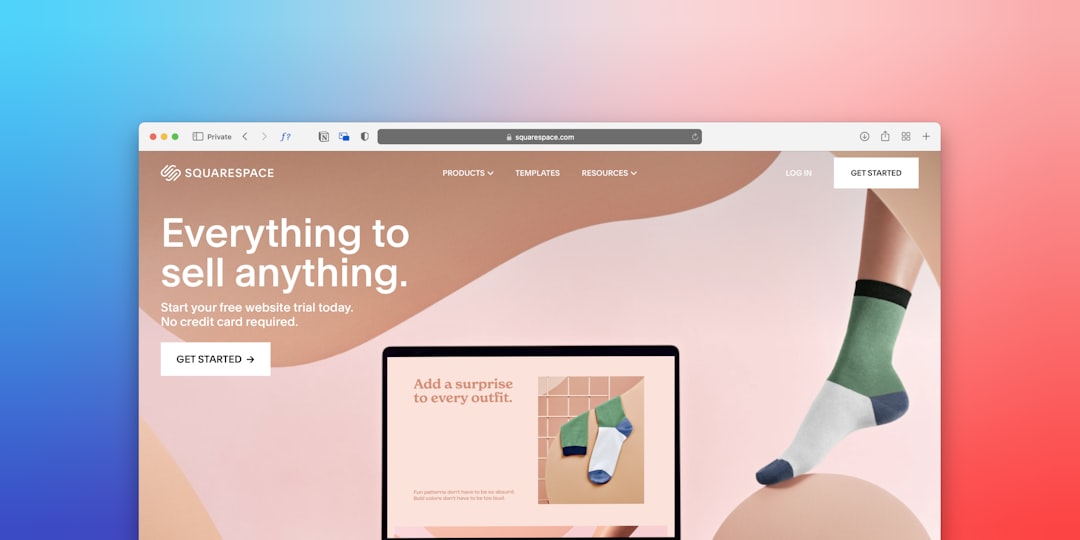
Squarespace is known for elegant templates and strong visual presentation. It is often chosen by photographers, designers, writers, restaurants, and boutique businesses that want a refined online presence. Its editor is more structured than some competitors, which helps users maintain consistent spacing and polished layouts.
The platform includes blogging, ecommerce, scheduling, portfolio galleries, and marketing features. For brands that care deeply about aesthetics, Squarespace remains one of the strongest all in one options.
3. Shopify
Shopify is designed primarily for ecommerce. It is a leading choice for businesses that want to sell physical products, digital goods, subscriptions, or dropshipped items. Its product management, checkout, payment processing, inventory tools, and app ecosystem make it especially powerful for online retailers.
While Shopify can also support basic content pages and blogs, its main strength is online selling. A business that expects to grow its store over time may find Shopify easier to scale than many general purpose builders.
4. Webflow
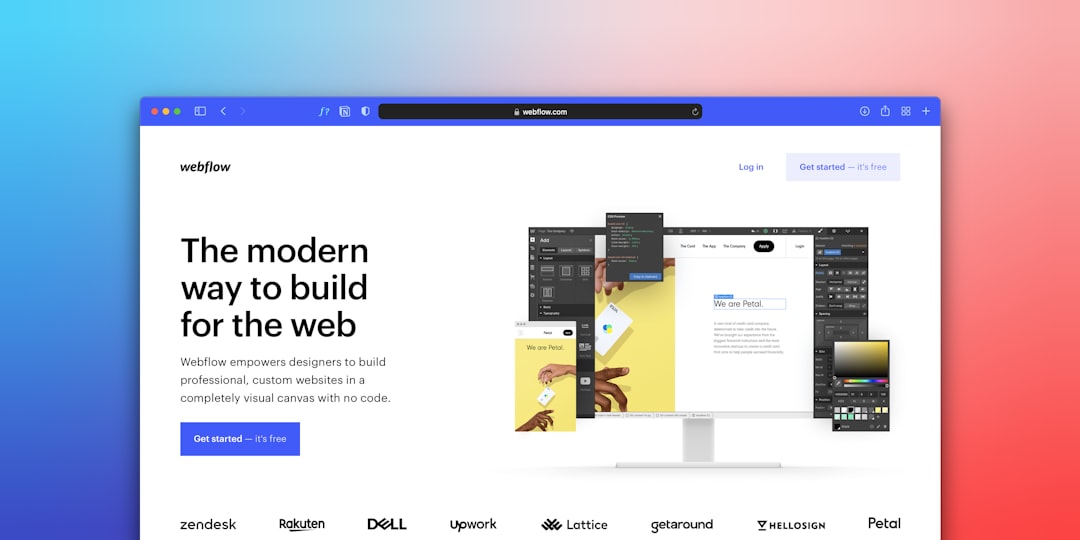
Webflow combines visual website building with advanced design control. It is popular among designers, agencies, startups, and tech focused brands that want custom looking websites without traditional coding. Webflow gives precise control over layouts, animations, typography, and responsive behavior.
Because it is more advanced, Webflow has a steeper learning curve than simpler builders. However, for users who value creative flexibility and clean visual structure, it can produce highly professional results.
5. WordPress.com
WordPress.com offers a hosted version of the WordPress experience, making it easier for users to create blogs, business sites, and content driven websites. It is especially strong for publishing, search visibility, and long term content management.
Depending on the plan, users can access themes, plugins, ecommerce tools, and customization options. WordPress.com is a good choice for those who want a balance between convenience and a platform that can grow with them.

6. Weebly
Weebly is a simple and beginner friendly website builder. Its editor is straightforward, making it a useful option for users who want to create a basic business site, personal website, or small online store without being overwhelmed by too many settings.
Weebly includes drag and drop editing, ecommerce features, contact forms, and responsive themes. It may not offer the same level of design flexibility as some newer platforms, but its simplicity remains appealing.
7. GoDaddy Website Builder
GoDaddy Website Builder focuses on speed and convenience. It is designed for people who need to get a site online quickly, often with minimal setup. The platform includes templates, hosting, domain services, appointment tools, marketing features, and basic ecommerce functionality.
It is particularly useful for local service providers, consultants, and small operations that need a clean website rather than a heavily customized digital experience.
8. Jimdo
Jimdo is a lightweight website builder aimed at freelancers, small businesses, and individuals. It offers a guided setup process that helps users build a site by answering a few questions. This makes it approachable for people with little design experience.
Jimdo includes basic SEO tools, mobile friendly layouts, online store features, and simple editing. It is not the most advanced platform, but it works well for users who want something clean and efficient.
9. Zyro
Zyro, now commonly associated with Hostinger website building tools, is known for affordability and ease of use. It offers modern templates, AI assisted content features, ecommerce options, and simple editing tools.
It is a strong choice for budget conscious users who want a professional looking site without a complex setup. Small businesses, personal brands, and early stage projects may find it especially practical.
10. Duda
Duda is built with agencies, freelancers, and professional web creators in mind. It offers responsive design tools, client management features, white label options, dynamic content, and team collaboration capabilities.
While beginners can use it, Duda is especially valuable for professionals who build and maintain multiple client sites. Its ability to streamline workflows makes it a strong platform for service based web design businesses.
11. Framer
Framer has gained attention as a modern builder for visually impressive websites, landing pages, and startup sites. It supports responsive layouts, animations, interactive elements, and a design first workflow. Many users appreciate how quickly polished pages can be created.
Framer can be a good fit for product launches, portfolios, marketing pages, and creative websites. It works best for users who enjoy modern design systems and want sites that feel sleek and dynamic.
12. Carrd
Carrd specializes in simple one page websites. It is affordable, fast, and ideal for landing pages, personal profiles, event pages, link pages, portfolios, and small announcements. Its simplicity is its greatest strength.
Although Carrd is not meant for large, complex websites, it is excellent when a user needs a focused page with clear information and a strong call to action. It is especially popular among creators, freelancers, and startups testing an idea.
13. Tilda
Tilda is a website builder focused on storytelling, editorial layouts, landing pages, and visually rich content. It includes predesigned blocks that can be combined to create stylish pages, as well as advanced design tools for more customized layouts.
Businesses that publish long form content, product stories, or campaign pages may find Tilda useful. Its emphasis on typography, spacing, and visual flow makes it stand out from more generic builders.
14. Strikingly
Strikingly is another builder known for simple, fast website creation. It is especially effective for one page sites, resumes, portfolios, startup landing pages, and small business sites. Users can launch quickly by choosing a template and replacing sample content with their own.
Strikingly also offers basic ecommerce, blogging, forms, and membership features. It is best for users who want speed and clarity rather than deep customization.
How to Choose the Right Website Builder
The best website builder depends on the project’s goals. A store with hundreds of products may need Shopify, while a designer may prefer Webflow or Framer. A writer or publisher may be better served by WordPress.com, and a local business that needs a quick web presence may choose Wix, Squarespace, or GoDaddy Website Builder.
Before selecting a platform, decision makers should compare several important factors:
- Ease of use: The editor should match the user’s technical comfort level.
- Design quality: Templates should look modern and work well on mobile devices.
- Ecommerce features: Online stores need secure checkout, inventory tools, and payment options.
- SEO tools: The platform should allow page titles, descriptions, clean URLs, and performance optimization.
- Scalability: The website should be able to grow as the business grows.
- Pricing: Monthly costs, transaction fees, apps, and premium templates should be considered.
- Support: Reliable help resources and customer service can save time when problems occur.
Key Benefits of Modern Website Builders
Modern website builders offer more than attractive templates. They help users move from idea to launch with fewer technical obstacles. Many include hosting, SSL certificates, mobile optimization, contact forms, analytics, and marketing integrations. Some also include AI assisted tools for writing copy, generating layouts, or improving workflows.
These platforms also make ongoing updates easier. A business can change pricing, add blog posts, update photos, or launch new landing pages without waiting for a developer. This flexibility helps organizations respond quickly to market changes, seasonal campaigns, and customer needs.
Common Limitations to Consider
Although website builders are convenient, they are not perfect for every situation. Some platforms limit design freedom, code access, database control, or advanced functionality. A highly complex web application, custom marketplace, or enterprise level platform may still require professional development.
There can also be platform lock in. If a site is built inside a proprietary builder, moving it elsewhere may be difficult. For that reason, users should consider not only what they need today, but also what the website may need in two or three years.
Final Thoughts
Modern website builders have changed how websites are created. They give small teams and independent professionals access to tools that once required significant budgets and technical expertise. Whether a user needs a portfolio, a blog, an online store, a landing page, or a complete business website, there is likely a builder that fits the task.
The smartest approach is to define the site’s purpose first, then choose the platform that best supports that purpose. With the right builder, creating a site becomes less about technical struggle and more about clear messaging, strong visuals, and a smooth visitor experience.
FAQ
What is the easiest website builder for beginners?
Wix, Weebly, GoDaddy Website Builder, and Jimdo are often considered beginner friendly because they provide simple editors, ready made templates, and guided setup tools.
Which website builder is best for ecommerce?
Shopify is one of the strongest choices for ecommerce because it includes product management, secure checkout, payment processing, inventory tools, and a large app marketplace.
Which builder is best for design flexibility?
Webflow and Framer are strong options for users who want more advanced design control, animations, and custom layouts. They may require more learning than simpler platforms.
Can a website builder be used for a professional business website?
Yes. Many modern website builders can support professional business websites with custom domains, responsive design, SEO settings, contact forms, analytics, and marketing integrations.
Are website builders good for SEO?
Many website builders include useful SEO tools, such as editable title tags, meta descriptions, alt text, sitemaps, and mobile optimization. However, strong SEO also depends on content quality, site speed, keyword strategy, and backlinks.
Is it possible to switch website builders later?
It is possible, but it may not always be easy. Some content can be copied or exported, but layouts, templates, and certain features may need to be rebuilt on the new platform.
How much does a website builder cost?
Costs vary widely. Some builders offer free plans with limitations, while paid plans often range from affordable personal tiers to higher priced business and ecommerce plans. Users should also consider domain fees, premium apps, transaction fees, and extra marketing tools.
