 logo
logo



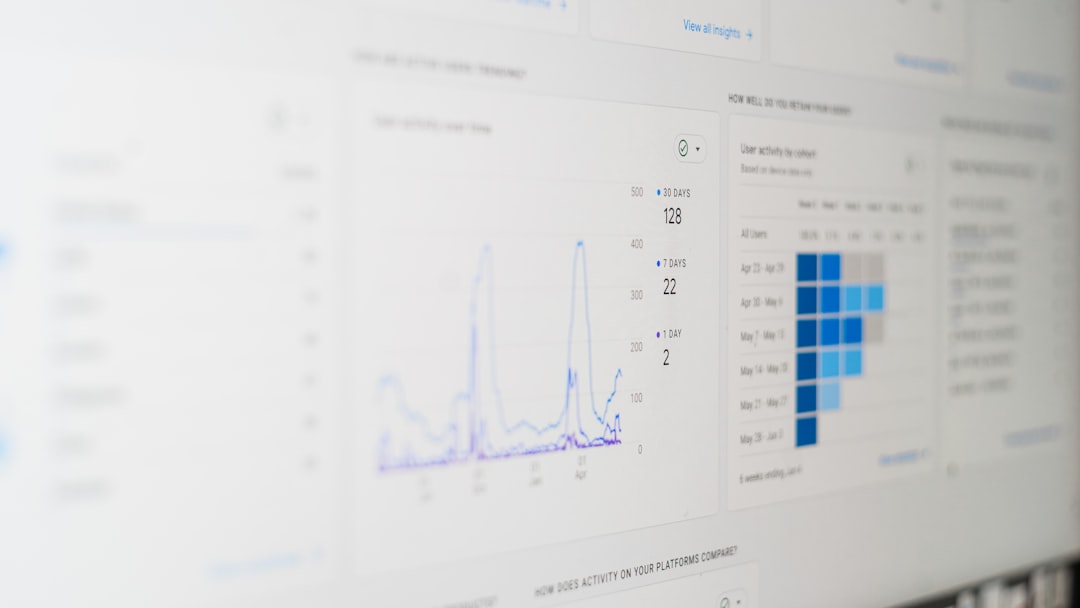
Modern organizations rely on clearly defined processes to maintain efficiency, reduce waste, and improve collaboration. Yet many teams still depend on scattered documents, email threads, and spreadsheets to manage complex workflows. Business process modeling (BPM) apps provide a structured, visual way to map out operations, identify bottlenecks, and streamline performance across departments. By translating tasks, decisions, and responsibilities into diagrams and interactive models, these tools allow companies to see how work truly flows.
TL;DR: Business process modeling apps help organizations visualize, analyze, and optimize workflows through diagrams and automation tools. They enable better collaboration, clearer documentation, and improved operational efficiency. Leading solutions such as Lucidchart, Microsoft Visio, and Bizagi offer features ranging from drag-and-drop modeling to advanced process simulation. Choosing the right app depends on team size, integration needs, and process complexity.
Below are eight powerful business process modeling applications that help teams visualize and improve their workflows.
1. Lucidchart
Lucidchart is a cloud-based diagramming tool widely used for process mapping and workflow visualization. Its intuitive drag-and-drop interface makes it accessible for beginners while still providing advanced modeling capabilities for experienced analysts.
- Key Features: BPMN support, real-time collaboration, integration with popular productivity tools.
- Best For: Distributed teams needing collaborative diagramming.
- Advantage: Easy sharing and commenting for faster stakeholder feedback.
Because Lucidchart operates fully in the cloud, teams can co-edit diagrams simultaneously, reducing miscommunication and eliminating version control issues.
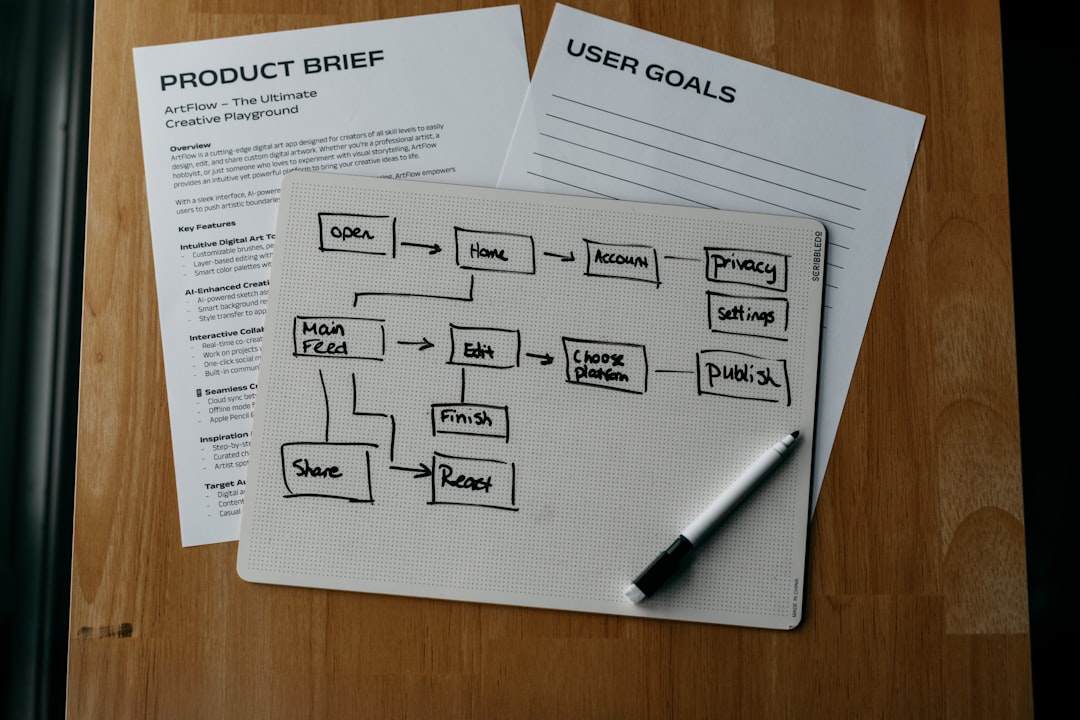
2. Microsoft Visio
Microsoft Visio remains one of the most recognized business process modeling tools in the industry. It offers extensive templates and shapes for creating professional-grade process diagrams.
- Key Features: Detailed flowchart templates, data linking, Microsoft 365 integration.
- Best For: Enterprises already using Microsoft ecosystems.
- Advantage: Familiar interface for Office users.
Visio allows users to connect diagrams directly to data sources, ensuring that process visuals update dynamically as information changes.
3. Bizagi Modeler
Bizagi Modeler focuses specifically on Business Process Model and Notation (BPMN). It is widely appreciated among business analysts for its precision and compliance with international modeling standards.
- Key Features: Full BPMN support, process documentation generation, collaboration tools.
- Best For: Organizations that require standardized modeling practices.
- Advantage: Detailed analytical capabilities.
Bizagi also offers automation options through its extended platform, making it possible to move from modeling into execution and optimization.
4. Monday.com
Although often recognized as a project management platform, Monday.com includes visual workflow-building features that help teams model and automate recurring processes.
- Key Features: Workflow automation, customizable dashboards, visual boards.
- Best For: Teams seeking process clarity within project management.
- Advantage: Combines modeling and execution in one interface.
The flexibility of Monday.com enables non-technical users to design workflows that automate notifications, approvals, and task assignments.
5. Smartsheet
Smartsheet bridges the gap between spreadsheets and full BPM platforms. It allows organizations to turn structured data into automated workflows.
- Key Features: Workflow automation rules, reporting dashboards, integration capabilities.
- Best For: Spreadsheet-oriented teams transitioning to process modeling.
- Advantage: Familiar grid interface with advanced automation features.
By incorporating logic-based triggers and approval paths, Smartsheet enables teams to optimize processes without building complex diagrams from scratch.

6. Creately
Creately is another collaborative diagramming solution with BPM capabilities. It offers templates for flowcharts, swimlane diagrams, and value stream maps.
- Key Features: Real-time collaboration, infinite canvas, visual database linking.
- Best For: Teams that value brainstorming and visual planning.
- Advantage: Combines whiteboarding with structured diagramming.
Creately is especially beneficial during the early stages of process improvement, where brainstorming and iterative design are essential.
7. ARIS
ARIS is an enterprise-grade process modeling suite designed for complex organizational environments. It offers deep analytical tools that go beyond basic visualization.
- Key Features: Process mining, simulation, governance management.
- Best For: Large organizations managing intricate operations.
- Advantage: Comprehensive lifecycle process management.
ARIS supports regulatory compliance and risk analysis, making it particularly useful in industries such as finance, healthcare, and manufacturing.
8. ProcessMaker
ProcessMaker blends process modeling with workflow automation. It enables companies to design processes visually and deploy them directly into operational environments.
- Key Features: Drag-and-drop process builder, approval routing, API integrations.
- Best For: Businesses seeking end-to-end workflow digitization.
- Advantage: Quick transition from design to execution.
By integrating automation tools, ProcessMaker ensures that business process improvements are not merely theoretical but actively implemented.
Why Business Process Modeling Matters
Business process modeling delivers tangible benefits beyond simple visualization. Organizations that document and analyze workflows often experience:
- Improved Efficiency: Clear steps reduce confusion and duplication.
- Enhanced Collaboration: Teams understand roles and responsibilities.
- Better Compliance: Documented processes support audits and regulations.
- Data-Driven Decisions: Modeling reveals measurable bottlenecks.
Moreover, modeling lays the groundwork for automation. Once processes are mapped and optimized, automation tools can digitize repetitive steps, minimizing human error and accelerating throughput.
How to Choose the Right BPM App
Selecting the right business process modeling application depends on several factors:
- Team Size: Small teams may prefer lightweight, collaborative tools.
- Integration Needs: Enterprises often require compatibility with existing systems.
- Budget: Pricing ranges from free basic plans to enterprise-level subscriptions.
- Complexity: Highly regulated industries may need simulation and compliance features.
In many cases, businesses benefit from testing multiple platforms before committing to a full-scale rollout.
Frequently Asked Questions (FAQ)
1. What is business process modeling?
Business process modeling is the practice of visually representing an organization’s workflows to analyze, improve, and optimize performance. It often uses standardized symbols and diagrams such as flowcharts or BPMN models.
2. How is business process modeling different from workflow automation?
Modeling focuses on mapping and analyzing processes, while automation executes those processes digitally. Many modern tools combine both capabilities to streamline improvements.
3. Do small businesses need BPM software?
Yes. Even small teams benefit from clearly documented workflows. Lightweight tools can help reduce confusion and enhance efficiency without significant investment.
4. What is BPMN?
Business Process Model and Notation (BPMN) is a standardized graphical representation used to model business processes. It provides a common language for stakeholders and technical teams.
5. Can business process modeling improve customer experience?
Absolutely. By identifying inefficiencies and delays, companies can streamline service delivery, reduce response times, and provide more consistent customer interactions.
6. Which app is best for enterprise-level modeling?
Tools like ARIS and Bizagi are often preferred for enterprise use due to their advanced analytical, governance, and compliance capabilities.
7. Is coding required to use BPM software?
Most modern BPM applications are designed for non-technical users and offer drag-and-drop interfaces. However, advanced customization or automation integrations may require technical knowledge.
By adopting one of these business process modeling applications, organizations can transform abstract workflows into clear, actionable systems. When teams can see how work moves from start to finish, they gain the insight needed to refine operations, reduce inefficiencies, and build scalable processes that support sustainable growth.
