 logo
logo



Data is everywhere. On your phone. On your laptop. In the cloud. It holds your photos, your work files, your customer lists, and your private messages. Losing it can feel like losing a part of your life or business. That is why backup and recovery software matters so much. It is your safety net when things go wrong.
TLDR: Backup and recovery software protects your data from loss. It creates copies of your files and helps you restore them after accidents, hacks, or system crashes. Good software runs automatically, stores data safely, and makes recovery fast and simple. Without it, one small mistake could cost you everything.
What Is Backup And Recovery Software?
Let’s keep it simple.
Backup software makes copies of your data. These copies are stored in a safe place. That place could be an external hard drive. Or a remote server. Or the cloud.
Recovery software helps you get that data back. Fast. Clean. Without stress.
Together, they work like an insurance policy for your digital life.
Imagine spilling coffee on your laptop. Or clicking on a bad link that installs ransomware. Without a backup, your data may be gone forever. With backup and recovery software, you simply restore your files and move on.

Why Data Loss Happens
Many people think data loss is rare. It is not.
Here are common causes:
- Accidental deletion – You delete the wrong folder.
- Hardware failure – Hard drives die. It happens.
- Viruses and ransomware – Malware can lock or destroy files.
- Power outages – Sudden shutdowns corrupt data.
- Theft – Stolen devices mean stolen data.
- Natural disasters – Floods and fires do not care about your backups.
It only takes one bad day.
How Backup Software Works
Backup software copies your files from one place to another. That is the basic idea. But there are different ways to do it.
1. Full Backup
This copies everything. All selected files. Every time.
It is complete but takes more time and storage.
2. Incremental Backup
This copies only what changed since the last backup.
It is faster. It saves space.
3. Differential Backup
This copies changes made since the last full backup.
It balances speed and storage.
Most modern tools let you choose. Or they handle it for you.
Where Your Backups Are Stored
Backups can live in different places. Each option has pros and cons.
External Drives
- Easy to use
- Good for home users
- Must be physically protected
Network Attached Storage
- Good for offices
- Accessible by many devices
- Costs more upfront
Cloud Storage
- Access from anywhere
- Protected from local disasters
- Requires internet
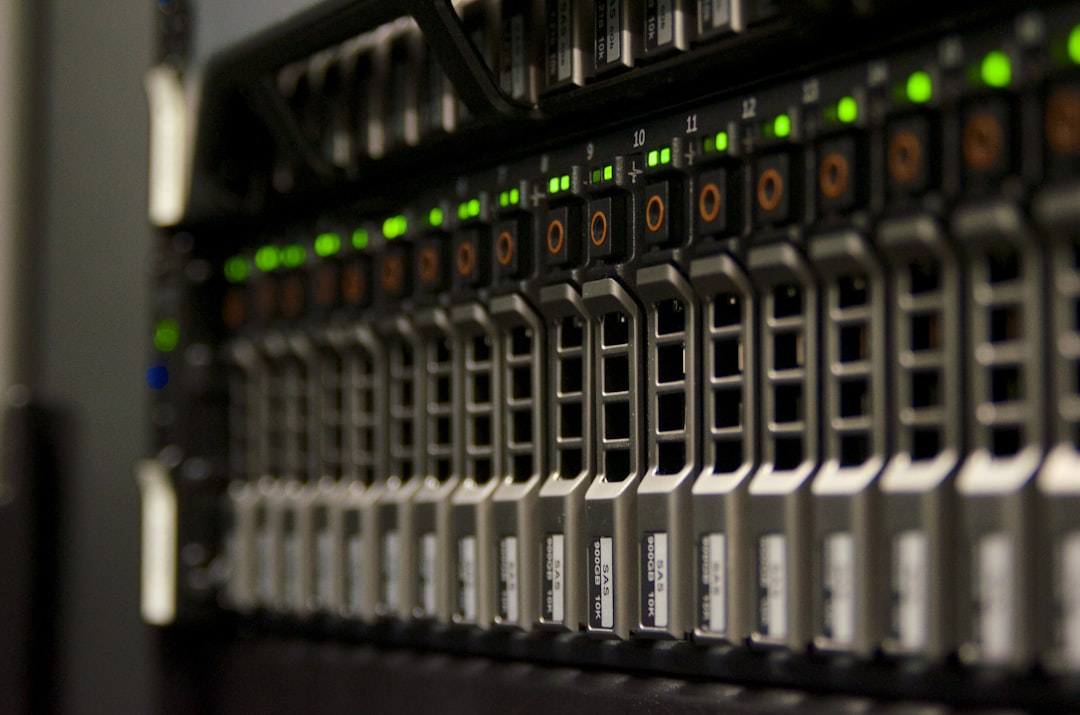
A smart strategy often combines methods. For example:
The 3-2-1 Rule
- Keep 3 copies of your data
- Use 2 different storage types
- Keep 1 copy offsite
This rule is simple. And powerful.
What Recovery Software Does
Backing up is only half the story. Recovery is where the magic happens.
Recovery software helps you:
- Restore deleted files
- Recover entire systems
- Roll back to a previous version
- Rebuild systems after cyberattacks
Good recovery tools are fast. And easy to use. You should not need a tech degree to restore your files.
Some systems even offer bare metal recovery. That means they rebuild your entire computer. Operating system. Settings. Files. Everything.
Features To Look For
Not all backup software is equal. Here is what to look for:
- Automatic backups – Set it and forget it.
- Encryption – Protect data from hackers.
- Scheduling – Run backups at specific times.
- Version history – Restore older file versions.
- Fast recovery speed – Save time during emergencies.
- Cross platform support – Cover all your devices.
Small businesses may also need:
- Email backup
- Database protection
- Virtual machine backup
- Disaster recovery planning tools
Think about your needs. Then choose wisely.
Backup For Home Users
If you are a home user, your needs are simple.
You likely want to protect:
- Family photos
- Videos
- Personal documents
- Financial records
An automatic cloud backup plus an external drive is often enough.
Make sure backups run daily. Test recovery once in a while. Do not assume everything works. Check it.
Backup For Businesses
For businesses, data is money.
Losing customer data can mean:
- Lost revenue
- Damaged reputation
- Legal penalties
- Customer trust issues
Companies need more advanced solutions. They must think about downtime. Every minute offline costs money.

Good business backup software offers:
- Continuous data protection
- Fast failover systems
- Remote monitoring
- Compliance support
It should also scale. As the company grows, the backup system must grow with it.
The Threat Of Ransomware
Ransomware is scary. It locks your files. Then demands payment.
Paying does not guarantee recovery.
The best defense is clean backups.
Modern backup tools now include:
- Ransomware detection
- Immutable storage options
- Backup isolation
Immutable storage means backups cannot be changed or deleted for a set time. Not even by attackers.
This feature is becoming essential. Not optional.
Testing Your Backup Plan
Here is a mistake many people make.
They install backup software. Then forget about it.
That is risky.
You need to test recovery. Try restoring files. Make sure they open correctly. Ensure full system recovery works as expected.
A backup is only good if it restores properly.
Cloud Vs Local Backup
Which is better? Cloud or local?
The answer is both.
Cloud backup:
- Safe from local disasters
- Accessible anywhere
- Subscription based
Local backup:
- Fast recovery speed
- No internet needed
- One time hardware cost
Using both gives you speed and safety.
Common Myths About Backup
Myth 1: “It won’t happen to me.”
It can.
Myth 2: “Cloud storage is automatically a backup.”
Not always. Syncing is not the same as backup.
Myth 3: “Backups are too expensive.”
Data loss is more expensive.
Myth 4: “I only need to back up once.”
Data changes daily. Backups should too.
Simple Steps To Get Started
Feeling overwhelmed? Do this:
- List your most important data.
- Choose a trusted backup solution.
- Set automatic daily backups.
- Add an offsite or cloud copy.
- Test recovery every few months.
That is it. Simple. Powerful. Smart.
The Peace Of Mind Factor
Backup and recovery software is not just about technology.
It is about peace of mind.
You sleep better knowing your memories are safe. Your business files are protected. Your systems can recover.
Without a plan, one small accident can cause panic. With a plan, it becomes a minor bump in the road.
Final Thoughts
Data is valuable. Sometimes more valuable than physical assets.
Backup and recovery software protects that value. It works quietly in the background. It prepares for the worst. It saves you when things go wrong.
In a world full of cyber threats, hardware failures, and human mistakes, having a strong backup system is not a luxury.
It is a necessity.
Do not wait for disaster to strike. Set up your backup. Test it. Maintain it.
Your future self will thank you.
