 logo
logo



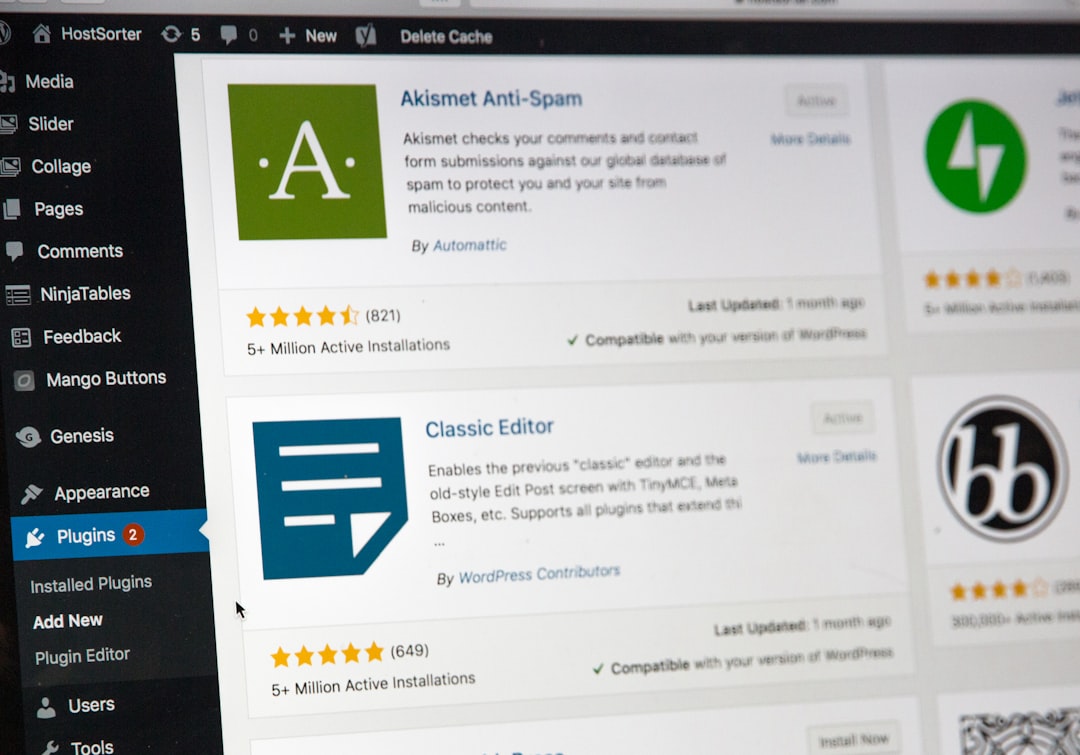
WordPress is like a busy little shop. It needs speed, tidy shelves, happy visitors, and a friendly helper at the door. Smart AI plugins can be that helper. They can make your site faster, smarter, and more fun to use.
TLDR: AI plugins can help your WordPress site load faster, write better content, answer visitor questions, improve SEO, and show people the right things at the right time. They can also save you many hours of boring work. Pick simple tools that solve real problems. Start small, test often, and keep your site light.
Why AI Plugins Are a Big Deal
AI sounds fancy. But it does not have to be scary. Think of it as a clever assistant. It looks at data. It spots patterns. It makes helpful guesses.
For WordPress, this is gold. Your site has content, images, comments, visitors, forms, products, and pages. That is a lot to manage. AI plugins can help with many of these tasks.
They can compress images. They can suggest blog titles. They can chat with visitors. They can recommend products. They can even warn you when something feels slow or broken.
Best of all, many AI plugins work in the background. Like tiny robots wearing headphones. Quiet. Fast. Useful.

First, Let’s Talk About Performance
Performance means how fast and smooth your website feels. A slow site is a grumpy site. Visitors leave. Search engines notice. Sales drop. Sad trombone.
AI can help make your site faster in smart ways. It does not just guess. It studies what is happening.
1. AI Image Optimization
Images are often the main reason a WordPress site gets slow. Big photos are heavy. Heavy pages load slowly. Nobody wants to wait for a giant image of a sandwich to appear.
AI image tools can:
- Compress images without making them look ugly.
- Resize images for phones, tablets, and desktops.
- Choose the best image format.
- Add smart alt text for accessibility and SEO.
- Detect blurry or low quality images.
This is a simple win. Your site gets lighter. Pages load faster. Visitors stay longer.
2. AI Caching and Speed Suggestions
Caching is like making a ready-to-go snack box. Instead of cooking the same meal every time, your site serves a prepared version. Fast and easy.
Some smart performance plugins can study visitor behavior. They can learn which pages need extra caching. They can preload popular pages. They can delay scripts that are not needed right away.
This helps your site feel snappy. It is like giving WordPress a pair of running shoes.
3. AI Database Cleanup
Your WordPress database stores posts, comments, settings, revisions, and more. Over time, it can get messy. Old drafts pile up. Spam comments hide in corners. Revisions multiply like rabbits.
AI cleanup tools can spot waste. They can suggest what to remove. Some can predict which items are safe to delete.
Important: always back up your site first. Even smart robots can trip over wires.
Now, Let’s Boost Engagement
Engagement means people do things on your site. They read. Click. Comment. Buy. Share. Sign up. Come back later.
A fast site helps. But smart content and helpful features help too. This is where AI plugins can shine.
4. AI Chatbots for Instant Help
A chatbot is like a tiny front desk worker. It can answer questions all day. It does not need coffee. It does not get tired. It never says, “Please hold,” for 20 minutes.
AI chatbots can help visitors with:
- Finding products.
- Getting support.
- Learning about services.
- Booking appointments.
- Checking order details.
- Reading helpful articles.
A good chatbot should sound friendly. It should be clear. It should also know when to send a person to a real human.
Tip: train your chatbot on your own content. Use your FAQs, help docs, product pages, and policies. This keeps answers useful and accurate.

5. AI Content Suggestions
Writing blog posts can be hard. Coming up with ideas can be even harder. AI content plugins can help you brainstorm.
They can suggest:
- Blog post ideas.
- Headlines.
- Meta descriptions.
- FAQ sections.
- Internal links.
- Call to action text.
This does not mean AI should write everything for you. Your voice still matters. Your stories matter. Your opinions matter. AI is the helper, not the boss.
Use AI to get started. Then edit with human flavor. Add jokes. Add examples. Add your own style. Make it sound like you.
6. AI Personalization
Personalization means showing different people different things. Not in a creepy way. In a helpful way.
For example, a new visitor might see a welcome guide. A returning reader might see the latest article. A customer might see product tips. A shopper might see related items.
AI plugins can study behavior and make suggestions. They can recommend posts, products, downloads, or offers.
This can increase clicks. It can also make your site feel more useful. People like it when a site seems to understand what they need.
Better SEO With Less Guessing
SEO helps people find your site in search engines. It can feel like a maze. Keywords here. Titles there. Links everywhere. A dragon behind the analytics report.
AI SEO plugins can make this easier.
They can help with:
- Keyword ideas.
- Content gaps.
- Search intent.
- Schema markup.
- Internal linking.
- Readability checks.
- Title and description improvements.
AI can also compare your page with top ranking pages. It can tell you what may be missing. Maybe your article needs a FAQ. Maybe it needs clearer headings. Maybe it needs a better intro.
Still, do not chase every score like a squirrel chasing glitter. Write for people first. Then optimize.
Smarter Forms and Lead Capture
Forms are small but mighty. They collect emails, bookings, questions, orders, and feedback. AI can make forms better.
Smart AI form plugins can:
- Suggest better form fields.
- Detect spam messages.
- Sort leads by quality.
- Send better auto replies.
- Route messages to the right team.
This is great for business sites. It saves time. It also helps you reply faster. Fast replies can turn curious visitors into real customers.
AI for Comments and Community
Comments can build a community. They can also become a swamp of spam. AI moderation tools can help keep things clean.
They can spot spam, rude language, repeated posts, and suspicious links. They can hold risky comments for review. They can also highlight comments that deserve a reply.
This helps you stay active without babysitting the comment section all day.
Bonus idea: use AI to summarize long comment threads. Then readers can catch up fast. Nice and tidy.
AI Analytics That Speak Human
Analytics can be confusing. Numbers. Graphs. Bounce rates. Click paths. Strange charts that look like space maps.
AI analytics plugins can explain what is happening in plain words. That is a huge help.
Instead of only showing data, they can say things like:
- “Your mobile visitors are leaving this page quickly.”
- “This blog post brings many newsletter signups.”
- “Your checkout page may be too slow.”
- “People click this button more when it appears higher.”
That is useful. You can make better choices. You can fix real problems. You can stop guessing.
How to Choose the Right AI Plugins
Do not install every shiny plugin you see. That is how a site becomes a digital junk drawer. Too many plugins can slow things down. They can also create conflicts.
Use this simple checklist.
- Pick one goal first. Speed, SEO, support, or engagement.
- Read recent reviews. Look for real user feedback.
- Check updates. Avoid plugins that look abandoned.
- Test on a staging site. Do not experiment on your live site if you can avoid it.
- Measure results. Use speed tests and analytics.
- Watch privacy rules. Know what data the plugin uses.
- Keep it simple. Fewer good tools beat many average ones.
Do AI Plugins Slow Down WordPress?
They can. Any plugin can. That is why you need to choose wisely.
Some AI plugins run mostly in the cloud. These may have less impact on your server. Others perform tasks directly on your site. These may use more resources.
Look for plugins that are built well. Check page speed before and after. If a plugin makes your site slower, ask if the benefits are worth it.
Sometimes the answer is yes. A chatbot may add a little weight but bring many leads. Sometimes the answer is no. A fancy feature may look cool but do nothing useful.
Rule of thumb: if it does not help visitors or save time, remove it.
Easy AI Plugin Stack for Beginners
If you are new to this, start with a small stack. Keep it friendly.
- Image optimization plugin. This helps speed right away.
- SEO assistant plugin. This improves content and search visibility.
- Chatbot plugin. This helps visitors get answers fast.
- Analytics insight plugin. This explains what is working.
That is enough for most sites. Add more only when you know you need more.
Best Practices for Using AI on WordPress
AI is powerful. But it needs boundaries. Think of it like a very smart puppy. Helpful, fast, and full of energy. But you still need to train it.
- Review AI content. Do not publish without checking it.
- Protect private data. Do not feed sensitive information into tools without care.
- Use your brand voice. Make AI output sound like your business.
- Keep plugins updated. Updates fix bugs and security issues.
- Delete what you do not use. Less clutter means better performance.
- Track results. Look at speed, clicks, signups, and sales.
The Human Touch Still Wins
AI can do a lot. But people still connect with people. Your stories matter. Your photos matter. Your humor matters. Your customer care matters.
Use AI to remove boring tasks. Use it to speed up research. Use it to help visitors. Use it to find problems faster.
But keep the heart of your site human. That is what makes visitors trust you.
Final Thoughts
Smart AI plugins can turn WordPress into a sharper, faster, friendlier machine. They can improve performance by shrinking images, cleaning databases, and helping pages load quicker. They can improve engagement with chatbots, personalization, content ideas, and smarter forms.
Start with one problem. Pick one good plugin. Test it. Measure it. Then improve from there.
Your website does not need to become a spaceship overnight. It just needs a few smart upgrades. Add the right AI helpers, and your WordPress site can feel faster, brighter, and more alive.
And yes, your tiny robot team is ready for work.
