 logo
logo



Apple HomeKit can run a solid home alarm, but only if you build it from the right pieces. Think of it as a smart security brain, not a single alarm kit in a box. You use the Apple Home app, a home hub, sensors, cameras, lights, and maybe a siren. Then you make them work together.
TLDR: A HomeKit home alarm can alert you when doors open, motion is seen, glass breaks, or a camera spots movement. For example, a small apartment might use 2 door sensors, 1 motion sensor, and 1 HomePod mini to send alerts and turn lights on when someone enters. Many users can set this up in under an hour, but adding cameras and automations may take longer. It is great for smart alerts, but it does not always replace a pro monitored alarm service.
What is a HomeKit home alarm?
A HomeKit alarm is a smart security setup that works inside Apple’s Home app. It can use your iPhone, iPad, Apple Watch, HomePod, and Apple TV. You can arm it. You can get alerts. You can make lights flash like your house is in a tiny action movie.
HomeKit itself is not a siren. It is the system that connects things. You still need devices.
- Door and window sensors to spot openings.
- Motion sensors to spot movement.
- Cameras to show what happened.
- Smart lights to scare people off.
- A siren or alarm hub to make noise.
- A HomePod or Apple TV to act as your home hub.
The Apple home hub is the secret sauce
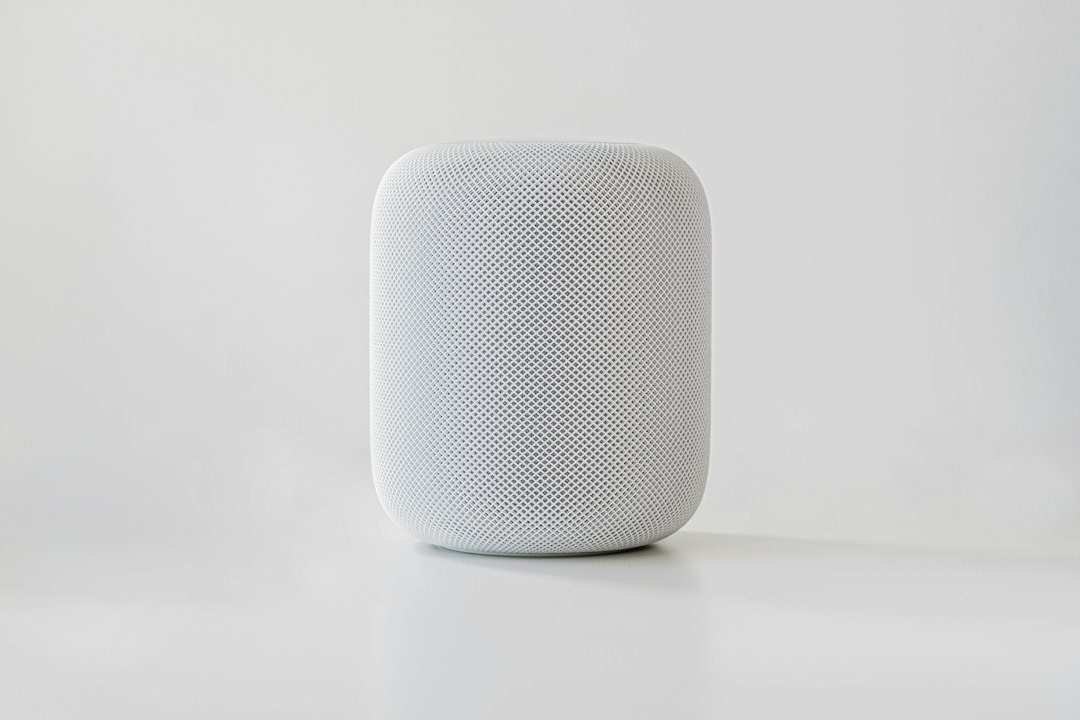
For HomeKit alarms, you need a home hub if you want remote access and automations. That means a HomePod, HomePod mini, or Apple TV. Older iPads used to work as hubs, but that is no longer the best path.
The hub stays in your home. It talks to your devices. It sends alerts to you when you are out buying snacks. Without it, your alarm can feel very local. Local is fine until you are not home.
The catch is… setup can feel fussy. One sensor may pair in 20 seconds. Another may take three tries and make you question your life choices. Keep the device close to the hub during setup. Then move it later.
How arming modes work
Many HomeKit compatible alarm systems support common security modes. They are simple.
- Off: Nothing is armed.
- Home: Doors may be armed, but indoor motion may stay off.
- Away: Doors, windows, and motion sensors are usually armed.
- Night: Great for bedtime. Doors armed. Hall motion may stay calm.
You can control these in the Home app, with Siri, or with automations. You might say, “Hey Siri, set security to Away.” Then your house gets serious.
What can trigger the alarm?
A good HomeKit alarm setup reacts to events. You choose what matters.
- A front door opens after 10 p.m.
- A window opens while nobody is home.
- Motion is detected in the living room.
- A camera sees a person in the driveway.
- A water sensor detects a leak. Not burglary, but still panic-worthy.
Once something happens, HomeKit can send a notification. It can turn on lights. It can start a siren if your hardware supports it. It can also record video if you use HomeKit Secure Video with a supported camera and iCloud plan.
Can it call the police?
Usually, no. Not by itself.
This is a key point. HomeKit is great for alerts. It is not the same as a monitored alarm company. If you want emergency dispatch, you need a system or service that supports monitoring. Some security brands offer paid monitoring and also work with Apple Home. Others only give app alerts.
So ask this before buying:
- Does it support Apple Home?
- Does it support a real siren?
- Does it offer pro monitoring?
- Does it need a monthly fee?
- Does it still work if the internet drops?
Best devices to include
You do not need to turn your house into a gadget museum. Start small. Add more later.
1. Door and window sensors
These are the first buy. They are cheap, small, and useful. Put one on the front door. Add one to the back door. Then cover easy windows.
2. Motion sensors
Use these in key spaces. Living room. Hallway. Garage. Avoid pointing them at pets, curtains, or sunny windows. False alerts are the worst. Nobody wants three alerts because a cat decided to become a ninja.
3. Cameras
Cameras help you check what is real. A door alert is useful. A door alert with a clip is better. With HomeKit Secure Video, footage can be stored in iCloud. Apple also supports features like person, animal, vehicle, and package detection on many cameras.
4. Smart lights
Lights are underrated. If motion is detected at night, turn entry lights to 100%. Put a lamp on upstairs. Make the home look awake. Simple. Cheap. Effective.
5. Siren or alarm hub
This is where people get tripped up. Not every HomeKit device can make a loud alarm sound. A HomePod can play audio, but it is not the same as a dedicated siren. If noise matters, buy a compatible alarm hub or siren.
Useful automations
Automations are where HomeKit gets fun. They also make your alarm feel less like a toy.
- When the last person leaves: arm Away mode.
- When someone arrives: disarm the alarm.
- If a door opens at night: turn hallway lights on.
- If motion is detected while away: send an alert and turn lights on.
- If smoke is detected: turn lights on and unlock exits if safe to do so.
Be careful with auto-disarm. It is handy, but location tracking can lag. Honestly, it feels like your phone sometimes needs a dramatic pause before it admits you are home. Test it before trusting it.
Privacy and Apple HomeKit
Apple’s big selling point is privacy. HomeKit uses encryption. Many actions happen locally. With HomeKit Secure Video, video analysis can happen through your home hub, and clips are stored in iCloud with strong privacy controls.
Still, privacy depends on your devices too. A cheap camera with a strange app may be a bad idea. Pick trusted brands. Update firmware. Use strong passwords. Turn on two factor authentication for your Apple ID.
Common problems
HomeKit alarms are nice. They are not magic. Expect a few bumps.
- Weak Wi Fi: Sensors may lag or drop.
- Bad device names: Siri gets confused. Use names like “Front Door” and “Kitchen Window.”
- Mixed brands: Some work better than others.
- Battery sensors: They need checks every few months.
- No backup power: A power cut can break the party.
It drives me crazy that one sleepy sensor can ruin a clean setup. Check battery levels in the Home app. Replace batteries before they die. Boring, yes. Useful, also yes.
What should you buy first?
If you are new, build a starter alarm. Keep it simple.
- 1 HomePod mini or Apple TV as the hub.
- 2 door sensors for main entries.
- 1 motion sensor for a hallway or living room.
- 1 camera for the main door.
- 1 siren or alarm hub if you want loud sound.
Final take
A HomeKit home alarm is best for people who love Apple gear and want smart control. It can warn you fast. It can light up your home. It can show video. It can make your place feel safer.
But it is not always a full replacement for a monitored alarm. If you need police dispatch, check that before you buy. If you just want smart alerts, better awareness, and easy control from your iPhone, HomeKit is a very solid choice.
Start small. Test every sensor. Name things clearly. Then let your smart home stand guard while you sleep, work, or pretend you only went to the store for one thing.
