 logo


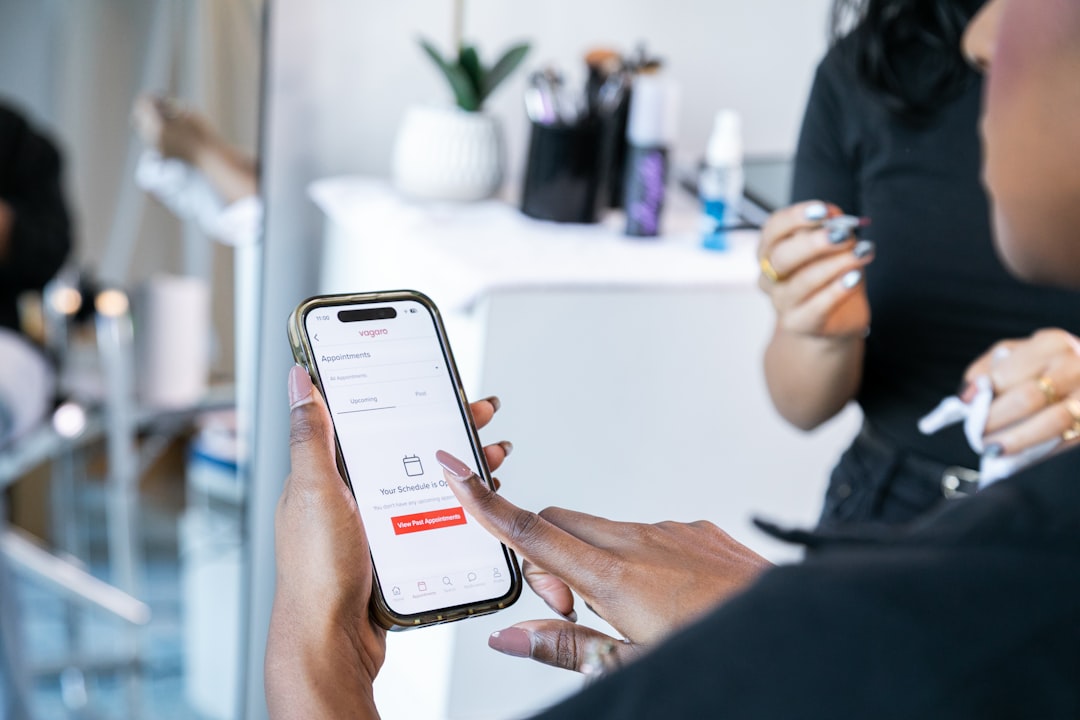
Build the first version of your ecommerce app around one job: helping customers find a product, trust it, and buy it in under two minutes. Mobile commerce is projected to account for 63% of all retail ecommerce in 2024 [source: Statista], so your app is not a cute extra. It is a sales counter in your customer’s pocket.
TLDR: Start with a small app that sells your best products well. Add simple search, fast checkout, secure payments, order tracking, and push alerts. For example, a small skincare shop could launch with 40 top items, Apple Pay, Google Pay, and a “buy again” button to cut repeat orders from 90 seconds to 20 seconds. Build the boring parts well first, because boring parts make money.
Start With the Customer, Not the Code
Before you hire anyone, answer one simple question. Why would someone download your app?
“Because we sell stuff” is not enough. Sorry. Customers already have browsers. They already have ten shopping apps. Your app needs a clear reason to exist.
Good reasons include:
- Faster repeat orders for products people buy often.
- Exclusive deals for app users.
- Easy tracking after checkout.
- Personal picks based on past orders.
- Loyalty points that are easy to see and use.
Think like a tired shopper. They want less tapping. Less waiting. Less “where is my order?” panic. Give them that.

Pick the Right App Type
You have three main options. Each one has tradeoffs. The fun never ends.
1. Native App
A native app is built for iOS, Android, or both. It feels smooth. It can use phone features well. It is great for speed and polish.
The catch is that it costs more. You may need separate work for iPhone and Android. Updates can also take more time.
2. Cross Platform App
A cross platform app uses one codebase for iOS and Android. Tools like Flutter or React Native are common choices.
This is often the sweet spot for small and mid sized businesses. It costs less than building two separate native apps. It can still feel fast and clean.
3. Progressive Web App
A progressive web app, or PWA, acts like an app but runs through the web. It can be cheaper. It is easier to update. It may not feel as rich as a full app.
If your budget is tight, this can be a smart first step. You can always build a full app later.
Plan the Features That Matter First
Do not start with fancy animations. Do not start with a mascot that waves. Cute, yes. Useful, maybe not.
Your first version should include these core features:
- User accounts: Let shoppers save addresses, payment choices, and order history.
- Product catalog: Show clear photos, prices, sizes, colors, stock, and details.
- Search and filters: Help people find items fast.
- Cart: Make it clear, editable, and hard to break.
- Fast checkout: Support cards, Apple Pay, Google Pay, PayPal, or local methods.
- Order tracking: Show order status without making users email support.
- Push notifications: Send useful alerts, not spam confetti.
- Reviews: Add social proof. People trust people.
- Admin panel: Let your team manage products, orders, refunds, and promos.
Honestly, it feels like some apps were designed to make checkout painful. One extra login screen can kill the mood. One slow payment page can lose the sale. Keep it simple.
Map the Shopping Flow
Draw the path from opening the app to buying a product. Use boxes and arrows. Sticky notes work. A whiteboard works. A napkin works if coffee is not involved.
A simple flow looks like this:
- User opens the app.
- User sees featured products or categories.
- User searches or taps a category.
- User opens a product page.
- User adds item to cart.
- User checks out.
- User gets order updates.
Now remove friction. Ask, “Can this step be shorter?” If yes, cut it down.

Design the App Like a Helpful Store Clerk
Your design should not shout. It should guide.
Use big photos. Use readable text. Use strong buttons. Use enough white space. Make the cart icon easy to find. Make the price obvious. Please, do not hide shipping costs until the last second. People hate that.
Product pages need:
- Clear product name
- High quality images
- Short product description
- Price and discounts
- Size, color, or variant choices
- Stock status
- Delivery estimate
- Return policy
- Reviews and ratings
Small detail. Big impact. If a product is out of stock, say so early. Better yet, offer “notify me” alerts.
Choose Your Tech Stack
Your tech stack is the set of tools used to build and run the app. You do not need to understand every tiny piece. But you should know the big blocks.
- Frontend: The part shoppers see. Common choices include Swift, Kotlin, Flutter, and React Native.
- Backend: The engine behind accounts, products, carts, and orders.
- Database: Stores users, inventory, orders, and app data.
- Payment gateway: Handles payments through tools like Stripe, PayPal, Adyen, or local providers.
- Cloud hosting: Runs your app services on platforms like AWS, Google Cloud, or Azure.
- Analytics: Tracks sales, drop offs, searches, and repeat buyers.
If you already use Shopify, WooCommerce, Magento, BigCommerce, or a custom store, your app should connect to it. This saves time. It also keeps inventory in sync.
Keep Security Baked In
Customers trust you with names, addresses, and payment details. Treat that trust like glass.
Use secure logins. Support two factor authentication for admin users. Encrypt sensitive data. Use trusted payment processors. Follow privacy rules in the regions where you sell.
Never store raw card data unless you truly know what you are doing. Most businesses should not. Let payment experts handle that headache.
Build an MVP First
An MVP is a minimum viable product. It is the first usable version of your app. Not perfect. Not giant. Just useful.
Your MVP should sell products without drama. That is the goal.
A good MVP might include:
- Login and guest checkout
- Product catalog
- Search
- Cart
- Payments
- Order history
- Basic push alerts
- Admin tools
Leave advanced extras for later. Things like AR previews, chatbots, complex rewards, and social feeds can wait. Expect to waste time on “cool” features if you add them too early. Sales basics come first.
Test Like a Real Shopper
Testing is not just clicking buttons in a happy mood. Test the ugly stuff too.
Try these checks:
- Search for misspelled product names.
- Add ten items to the cart.
- Remove items.
- Use a weak internet connection.
- Try expired payment cards.
- Cancel an order.
- Request a refund.
- Open the app on older phones.
Watch real users. Say nothing. Let them struggle a bit. It may hurt to watch, but it helps. If three people miss the same button, the button is the problem.

Launch Softly, Then Improve
Do not blast your app to everyone on day one. Start with a small group. Use loyal customers, staff, or email subscribers.
Track key numbers:
- Install rate: How many people download the app?
- Signup rate: How many create accounts?
- Cart abandonment: Where do shoppers quit?
- Checkout time: How long does buying take?
- Repeat purchase rate: Do users come back?
- Average order value: Are app users spending more?
Then fix weak spots. If people drop off at payment, inspect payment. If search gives bad results, improve search. If users ignore push alerts, send fewer and make them better.
Promote the App Without Being Annoying
Your app will not promote itself. Add smart nudges.
- Put an app banner on your website.
- Email your customer list.
- Offer a first app order discount.
- Add QR codes to packages.
- Train support staff to mention the app.
- Promote app only deals on social media.
Keep the offer clear. “Get 10% off your first app order” beats “Download our app for a better shopping experience.” One sounds useful. The other sounds like homework.
Budget for Life After Launch
An ecommerce app is not finished when it goes live. That is when the real work starts. You need updates, bug fixes, security patches, new features, and support.
Plan a monthly budget for maintenance. Also plan time to review analytics. The best apps keep improving in small steps.
Final tip: build less, but build it better. A clean app with fast checkout will beat a bloated app with glitter and bugs. Make shopping easy, and customers will reward you with taps, orders, and fewer angry emails.
