 logo
logo



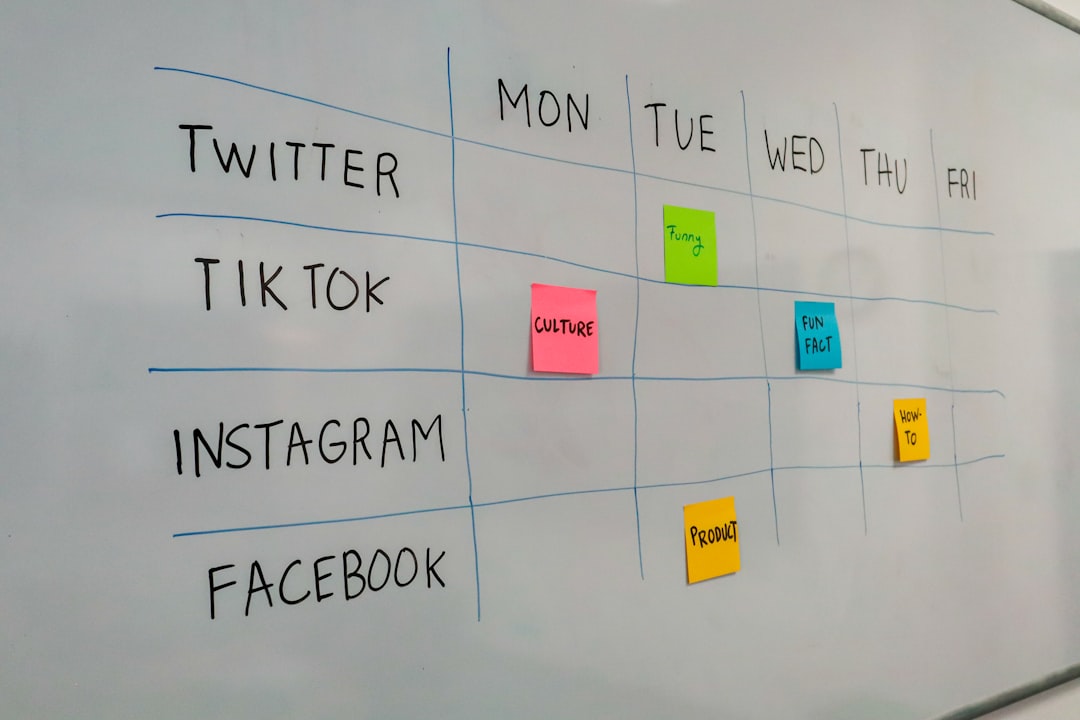
Making a staff schedule should not feel like solving a dragon puzzle at midnight. Yet many managers still juggle sticky notes, texts, spreadsheets, and last-minute “I can’t work today” messages. MyScheduler is built to make that chaos easier to manage. It helps teams plan shifts, track availability, and keep everyone on the same page.
TLDR: MyScheduler is a simple employee scheduling tool for businesses that need cleaner shift planning and fewer mix-ups. It is best for managers who want to build schedules, handle time-off requests, and notify staff quickly. For example, a restaurant with 25 employees could cut weekly scheduling time from 3 hours to about 45 minutes by using templates and availability rules. Pricing is not always clearly listed online, so many teams may need to request a quote or demo.
What Is MyScheduler?
MyScheduler is an employee scheduling platform. It helps managers create work schedules and share them with staff. It can also help employees check shifts, submit availability, and request time off.
Think of it as a digital planner for your team. But it does more than sit there looking pretty. It can reduce confusion. It can stop double-booking. It can help managers avoid the dreaded “Wait, I thought I was off today” moment.
It is useful for businesses with shift-based teams. This includes:
- Restaurants and cafes
- Retail stores
- Healthcare clinics
- Hotels
- Gyms and salons
- Small service businesses

Main Employee Scheduling Features
MyScheduler focuses on the basics. And that is a good thing. Not every team needs a giant software monster with 400 buttons and a dashboard that looks like a spaceship.
1. Shift Scheduling
The core feature is shift planning. Managers can build schedules by day, week, or role. You can assign employees to open shifts. You can also move shifts around when plans change.
This is helpful when your team has changing hours. For example, a retail shop may need more staff on Saturdays. A restaurant may need extra servers during dinner. MyScheduler makes those changes easier to see.
2. Employee Availability
Employees can usually add when they are available to work. This helps managers avoid scheduling someone during class, childcare, or another job.
This feature can save a lot of awkward conversations. Nobody wants to say, “Oops, I scheduled you during your wedding.” That is bad scheduling. Also, very bad vibes.
3. Time-Off Requests
Time-off requests are another key feature. Employees can submit requests inside the system. Managers can approve or deny them.
This keeps requests out of text threads and sticky notes. It also creates a clearer record. That means less guessing. Less drama. More peace.
4. Notifications and Updates
Schedules change. Life happens. Someone gets sick. Someone swaps a shift. Someone suddenly remembers a dentist appointment from 2019.
MyScheduler can help notify employees when schedules are posted or changed. This is important. If employees do not see updates, the schedule is just decoration.
5. Role-Based Scheduling
Many businesses need specific people in specific roles. A restaurant needs cooks, servers, hosts, and managers. A clinic may need nurses, receptionists, and cleaning staff.
Role-based scheduling helps managers build balanced shifts. It can prevent having five cashiers and zero supervisors. Which is funny for about five seconds. Then it is a problem.
6. Schedule Templates
Templates are great for teams with repeat schedules. If your Monday morning shift looks the same most weeks, you can reuse it.
This saves time. It also reduces errors. A manager can start with a template and then make small edits. Easy.

What Is MyScheduler Like to Use?
MyScheduler is best when it stays simple. The ideal user is a manager who wants a clean way to plan shifts without learning a complex system.
The experience is usually built around a calendar or schedule view. Managers can add shifts. Employees can check their assignments. Both sides get a clearer picture of the week.
The best part: It can replace messy spreadsheets.
The possible downside: It may not have every advanced workforce tool that larger companies want.
For small and midsize teams, that may be fine. Sometimes simple wins.
MyScheduler Pricing
Pricing is where things get a little fuzzy. MyScheduler pricing is not always easy to find on public pages. Some versions or providers may require you to request a quote, book a demo, or contact sales.
That means your final price may depend on:
- Number of employees
- Number of locations
- Features needed
- Support level
- Contract length
For comparison, many employee scheduling tools charge between $2 and $5 per user per month. Some offer free plans for small teams. Others charge a flat monthly fee per location.
If MyScheduler gives custom pricing, ask these questions before signing:
- Is there a setup fee?
- Are mobile features included?
- Is support included?
- Can I cancel monthly?
- Does the price rise as my team grows?
Tip: Ask for a free trial or live demo. Scheduling software should feel easy before you pay for it.
Pros and Cons
No tool is perfect. Not even the magic coffee machine in the break room. Here is a quick look at where MyScheduler may shine and where it may feel limited.
Pros
- Simple scheduling: Good for creating and sharing shifts.
- Better communication: Employees can see updates faster.
- Time-off tracking: Requests are easier to manage.
- Templates: Repeating schedules can save time.
- Good for shift teams: Useful for retail, food service, and healthcare.
Cons
- Pricing may not be clear: You may need to ask for a quote.
- Advanced features may vary: Payroll, labor cost forecasting, or compliance tools may not be included.
- May not fit large enterprises: Bigger companies may need deeper reporting and integrations.
Best MyScheduler Competitors
MyScheduler is not alone. The employee scheduling world is packed with strong tools. Some are simple. Some are fancy. Some have more bells than a holiday parade.
1. When I Work
When I Work is a popular choice for shift scheduling. It has scheduling, time clocks, team messaging, and attendance features. It is friendly for restaurants, retail teams, and service businesses.
It is a strong option if you want scheduling plus communication in one place.
2. Homebase
Homebase is great for small businesses. It offers scheduling, time tracking, hiring tools, and payroll options. It also has a free plan for some teams.
This makes it attractive for shops, cafes, and local businesses watching their budget.
3. Deputy
Deputy is a powerful scheduling and workforce management platform. It includes labor forecasting, time tracking, and compliance features.
It can be a better fit for teams that need more detailed planning and reporting.
4. Connecteam
Connecteam combines scheduling with employee communication, forms, training, and task management. It is useful for deskless teams.
If your staff is always moving, this one is worth a look.
5. 7shifts
7shifts is built for restaurants. It includes scheduling, labor cost controls, team communication, and tip management features.
Restaurant owners may prefer it because it understands food service workflows.

Who Should Use MyScheduler?
MyScheduler is a good fit for teams that want a simple scheduling system. It works well if your biggest problems are messy spreadsheets, missed shifts, and unclear availability.
It may be best for:
- Small businesses moving away from paper schedules
- Managers who schedule hourly workers
- Teams with changing weekly shifts
- Companies that need basic time-off and availability tools
It may not be the best choice if you need advanced payroll, deep labor forecasting, or complex compliance tools. In that case, you may want to review Deputy, 7shifts, or Homebase.
Final Verdict
MyScheduler is a practical employee scheduling tool. It helps managers build schedules, track availability, and keep staff updated. It is not trying to be the fanciest tool in the room. That can be a good thing.
The biggest thing to check is pricing. Since public pricing may be limited, ask for a clear quote. Also ask what features are included.
If your team is stuck in spreadsheet swamp, MyScheduler could be a nice escape boat. It is simple. It is useful. And it may save your manager’s sanity one shift at a time.
