 logo
logo




Build your channel around repeatable themes, not random video ideas. A strong theme gives viewers a reason to come back. It also saves you from staring at a blank content calendar like it owes you money.
TLDR: Pick 3 to 5 content themes and turn each one into a repeatable video format. For example, a cooking channel might use “5 minute meals,” “budget grocery tests,” and “viewer recipe makeovers.” One small fitness creator posted two videos per week across three themes for 90 days and saw average views rise from 820 to 1,340, a 63% jump. Simple themes make planning easier and growth less random.
Why Repeatable Themes Work So Well
YouTube likes patterns. Viewers like patterns too. A repeatable theme tells people what they can expect from you.
Think of your channel like a favorite food truck. People return because they know what is on the menu. Maybe the tacos change a bit. But the promise stays the same.
Random uploads confuse people. One week you post a camera review. Next week it is a travel vlog. Then a rant about your desk chair. Even if each video is good, the channel feels messy.
Repeatable themes fix that. They give your channel a clear shape.
- They help viewers remember you.
- They make video planning faster.
- They improve binge watching.
- They train the algorithm to understand your audience.
What Is a Repeatable Content Theme?
A repeatable content theme is a broad idea you can use again and again. It is not one video. It is a video machine.
For example, “How to make pasta” is one idea. But “Cheap dinners under $5” is a theme. You can make dozens of videos from it.
Good themes have three traits.
- They match your audience. People should actually want them.
- They match your skills. You should be able to make them without misery.
- They can repeat. You should see at least 20 future video ideas inside the theme.
If a theme gives you only two ideas, it is too small. If it could fit every channel on Earth, it is too vague.
Start With Your Channel Promise
Before picking themes, write one simple sentence:
“My channel helps [who] get [result] without [pain].”
Here are a few examples:
- “My channel helps new gardeners grow food without a giant yard.”
- “My channel helps busy parents cook dinner without spending all night.”
- “My channel helps beginners learn guitar without boring music theory.”
This sentence is your filter. If a video theme does not support it, toss it. Yes, even if the idea sounds fun. Painful, but useful.
Build 3 to 5 Core Themes
Do not create twelve themes. That turns your channel into a junk drawer. Start with 3 to 5.
Here is a simple mix:
- Education theme: Teach something useful.
- Proof theme: Test, compare, or review something.
- Story theme: Share a journey, mistake, or result.
- Community theme: Answer comments or feature viewers.
- Trend theme: React to news or popular topics in your niche.
Let’s say you run a personal finance channel. Your themes might be:
- “Budget Fix Friday” where you repair a real budget.
- “I Tried It” where you test money advice.
- “$100 Challenge” where you grow, save, or stretch $100.
- “Money Mistakes” where you explain common traps.
Now you are not hunting for ideas. You are filling slots.
Turn Themes Into Video Series
A theme becomes stronger when it has a format. A format is the structure of the video.
For example, the theme is “budget meals.” The format could be:
- Open with the total cost.
- Show the shopping list.
- Cook the meal.
- Rate taste, time, and leftovers.
- Ask viewers what meal to test next.
That same format can run for months. It feels familiar. But each episode still feels fresh.
Honestly, it feels like some creators make planning harder on purpose. They rebuild every video from scratch. That adds hours. Sometimes it adds a whole extra day. A fixed format cuts that waste fast.
Use the “Idea Ladder” Method
The idea ladder helps you turn one theme into many videos.
Start with a broad theme. Then break it into levels.
Example theme: Beginner home workouts.
- Level 1: Body part. Legs, arms, abs, back.
- Level 2: Time limit. 5 minutes, 10 minutes, 20 minutes.
- Level 3: Situation. No equipment, small room, bad knees.
- Level 4: Goal. Fat loss, strength, posture, energy.
Now you can mix and match.
- 10 minute leg workout for small rooms.
- 5 minute arm workout with no equipment.
- 20 minute beginner workout for better posture.
One theme just produced a stack of videos. Nice. Your brain can stop screaming.
Check Your Analytics Before You Guess
Your best themes may already be hiding in your channel data.
Go to YouTube Studio. Look at the last 90 days. Find videos with strong signs.
- High click through rate: The title and thumbnail worked.
- High average view duration: People stayed.
- High returning viewers: People wanted more.
- High comments: The topic started a conversation.
Do not only chase the biggest view count. A video with 3,000 views and 52% retention may be more useful than a video with 10,000 views and weak watch time.
Look for patterns. Did “mistakes” videos do well? Did “before and after” videos get more comments? Did product tests get more subscribers?
When you see a pattern, build a theme around it.
Give Each Theme a Clear Name
Names matter. A named theme feels like a show. It is easier to promote. It is easier to remember.
Compare these:
- “I talk about cleaning stuff.”
- “Messy Room Rescue.”
The second one wins. It sounds like a repeatable event.
Good series names are short. They are clear. They hint at the result.
- Fix My Setup
- Cheap Tech Test
- One Hour Makeover
- Recipe Rescue
- Beginner Breakdown
Do not get too clever. If people need a decoder ring, the name failed.
Create a Simple Weekly Content Grid
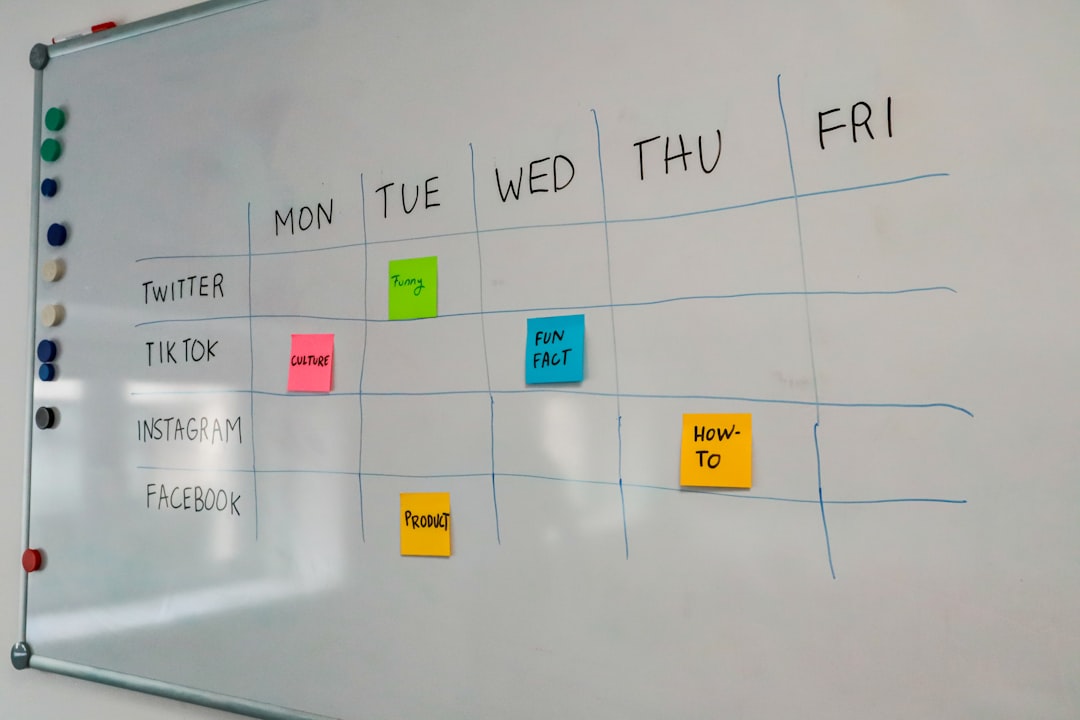
A content grid keeps you sane. It also helps viewers build a habit.
Try this:
- Tuesday: Educational video.
- Thursday: Test or review video.
- Saturday: Story, challenge, or viewer request.
You do not need to post daily. Consistency is not about flooding the feed. It is about keeping your promise.
If you can only post once per week, fine. Rotate your themes.
- Week 1: Tutorial.
- Week 2: Test.
- Week 3: Reaction.
- Week 4: Viewer question.
That gives you variety without chaos.
Refresh Themes Without Starting Over
Even great themes get stale. That does not mean you should drop them. Refresh them.
Change one piece at a time.
- Change the guest. Bring in a friend, expert, or viewer.
- Change the limit. Add a budget, timer, or rule.
- Change the location. Film in a new space.
- Change the stakes. Add a challenge or reward.
- Change the audience angle. Make it for beginners, pros, parents, students, or creators.
For example, “cheap apartment decor” can become “cheap apartment decor in one hour” or “cheap apartment decor using only thrift store finds.”
Same theme. New spark.
Use Viewer Comments as Fuel
Your comment section is not just noise. Hidden in there are free video prompts.
Look for these lines:
- “Can you do this for beginners?”
- “What if I only have $50?”
- “Does this work for small channels?”
- “Can you compare this with that?”
Each question can become a video. Better yet, it becomes a video your audience already asked for.
Pin a comment asking viewers what they want next. Keep a running list. Simple notes app. Spreadsheet. Paper napkin. Whatever works.
Test Themes in Batches
Do not judge a theme after one video. One video can flop for many reasons. Bad title. Weak thumbnail. Odd timing. Weird intro. The wind was rude that day.
Test each theme with at least 3 to 5 videos.
Track these numbers:
- Views after 48 hours.
- Click through rate.
- Average view duration.
- Subscribers gained.
- Comments per 1,000 views.
After the batch, decide. Keep it. Fix it. Or retire it.
The Simple Formula
Here is the whole system:
- Write your channel promise.
- Pick 3 to 5 content themes.
- Turn each theme into a named series.
- Create repeatable formats.
- Post on a steady weekly grid.
- Review analytics every 30 days.
- Improve the winners.
That is how consistent growth starts. Not with random genius. Not with panic posting. With patterns people enjoy.
Build the menu. Serve it often. Improve the best dishes. Your future self will thank you when video planning takes 20 minutes instead of three dramatic hours.
