 logo
logo


Indie filmmaking is a world driven by passion, creativity, and resourcefulness—especially when working within tight budgets. Mac-based video editing software gives creators a solid toolkit that doesn’t require the high overhead of traditional film editing suites. For short film projects where every dollar counts, choosing the right editor can make the difference between frustration and a streamlined workflow.
TLDR: If you’re an indie filmmaker on a budget using a Mac, there are several powerful video editing tools at your disposal. Final Cut Pro offers professional features with a one-time purchase. DaVinci Resolve is a top contender offering robust color grading and editing for free. iMovie, though basic, is a great starter tool for simpler cuts. Lightworks and HitFilm round out the list with unique strengths. Each has its place depending on your workflow, experience, and the complexity of your film.
1. Final Cut Pro – Professional Power for a One-Time Cost
Final Cut Pro is Apple’s flagship software for video editing, widely used in indie and even industry-standard filmmaking. Unlike Adobe Premiere, which locks users into a monthly subscription, Final Cut Pro is available for a one-time fee of $299.99. For filmmakers who’ve calculated the cost differences between subscriptions vs. single payments over time, this becomes a smart long-term investment.
What makes Final Cut Pro a favorite among indie creators?
- Magnetic Timeline: Simplifies arranging clips and cuts clutter.
- Optimized for macOS: Seamless performance integration on Apple silicon Macs like the M1 and M2 chips.
- Advanced features: Multicam editing, cinematic color grading, and HDR support.
- Effects and Templates: Built-in transitions, effects, and plug-in support make polish manageable even without a VFX team.
Though it comes with an initial price tag, its extensive capabilities make Final Cut Pro a go-to for indie filmmakers seeking professionalism without recurring expenses.
2. DaVinci Resolve – Hollywood-Level Tools, Free on Mac
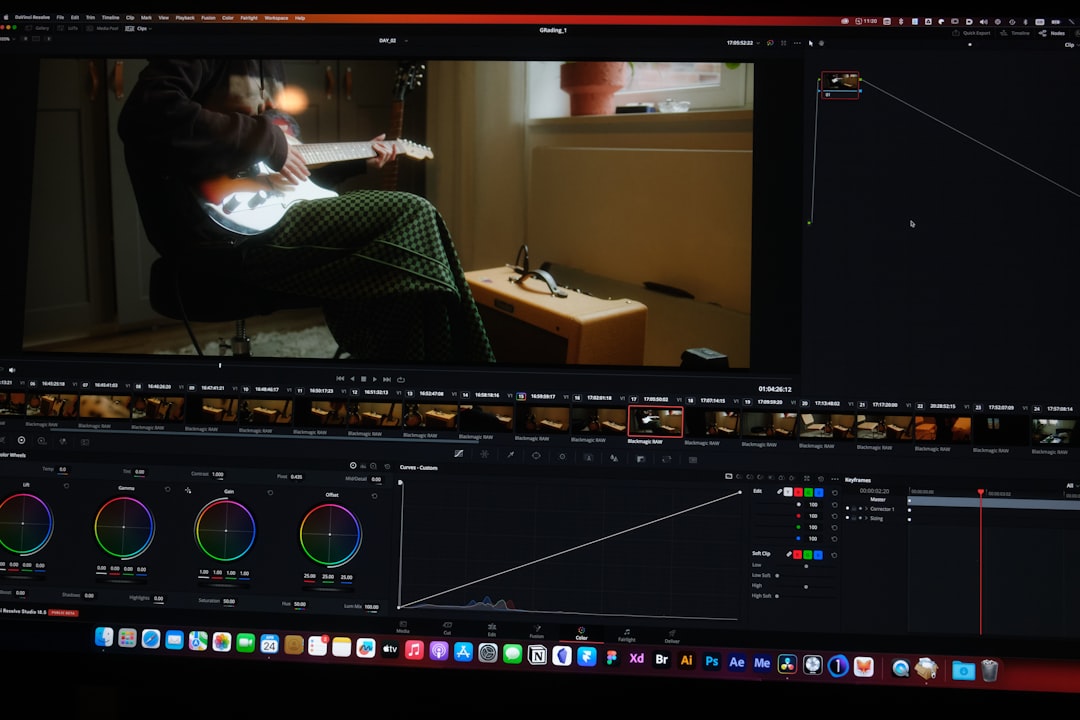
DaVinci Resolve is perhaps the biggest game-changer in the free NLE (non-linear editing) world. Known for its superior color grading suite, Resolve brings post-production tools that rival high-end software—without costing a dime for the standard version.
Why it’s favored by budget-conscious directors and filmmakers:
- All-in-One Editing Suite: Combines professional video editing, color correction, audio post, and visual effects in one package.
- Color Grading: The software’s node-based grading and curves are industry standard.
- Fusion: Integrated VFX capabilities help low-budget films compete visually.
- Fairlight: Built-in audio production tools eliminate the need for costly external DAWs.
While there’s a Studio version that unlocks even more power, most indie short film needs are fully met in the free edition. It can be slightly daunting to learn, but many filmmakers find the depth worth the learning curve.
3. iMovie – Simplicity for the Passionate Beginner
iMovie is a basic video editor that comes free with macOS devices. Although limited in its capabilities, it’s a solid launchpad for early-stage filmmakers and students experimenting with their first projects.
Key benefits include:
- Ease of Use: Extremely intuitive interface suitable for beginners.
- Basic Templates: Titles, effects, and transitions that speed up small-scale production.
- iOS Compatibility: Switch between iPhone, iPad, and Mac projects with ease.
- Export Options: Allows simple output in 4K resolution without complex rendering settings.
The main caveat? iMovie lacks many “professional” tools like color grading layers, plug-in integrations, or multi-track audio editing. Still, for narrative-heavy short films with less VFX and simpler edits, it holds up well. Think of iMovie as a sketchbook—limited but incredibly useful.
4. HitFilm – VFX-Driven Editing for Low-Budget Creativity
HitFilm, developed by FXhome, brings a unique angle to the table with its focus on combining traditional editing with strong built-in visual effects capabilities. Aimed at YouTubers and indie filmmakers alike, HitFilm’s free version is surprisingly feature-rich.
Highlights include:
- Compositing Tools: Great for science fiction, action, and experimental short films where effects matter.
- Modular UI: Customizable workspace depending on needs (edit, VFX, color, audio).
- Tutorial Resources: Comes with generous learning support especially tailored toward enthusiasts and growing filmmakers.
- VFX Library: Explosions, muzzle flashes, and tracking effects are ready out-of-the-box.
HitFilm bridges the gap between full-scale visual production suites and beginner editors, offering decent control without an overwhelming interface or cost barrier. It’s especially popular in genres that require visual flair beyond what basic editors can deliver.
5. Lightworks – A Legacy Pro NLE with a Free Plan
Lightworks has been around for decades and has been used in editing major Hollywood films like Pulp Fiction and The King’s Speech. Today, it offers a modern macOS-compatible version with a Free plan perfect for independent creators.
Why indie editors choose Lightworks:
- Robust Timeline Controls: Offers a powerful editing engine with advanced trimming tools.
- Higher FPS Support: Great for indie filmmakers experimenting with slow-motion or high-speed footage.
- Exports Up to 720p (Free Tier): Full HD and 4K require paid upgrades, but many short films intended for festivals or web distribution still work within 720p.
- Cross-Platform Compatibility: Sharing project files between Mac, Windows, and Linux can be useful in team scenarios.
Lightworks has a steeper learning curve than iMovie but delivers far greater professional potential. The free edition is often enough to handle basic editing, even if high-res exports require a paid license. For filmmakers working strategically under resolution limitations, this can be a powerful tool to master.
Final Thoughts: Matching Your Vision with the Right Tool
Choosing the right video editor isn’t just about what the software offers but how well it fits your creative process. Are you a beginner seeking intuitive interfaces? iMovie or HitFilm may be the answer. Looking for top-tier color grading and don’t mind a learning curve? DaVinci Resolve shines. Need something highly professional without subscribing? Then Final Cut Pro might be worth the investment.
Every indie filmmaker must balance budget, skillset, and vision. Mac video editors today offer a spectrum of possibilities, meaning tight financial constraints don’t have to block powerful storytelling.
Summary Comparison Table
| Editor | Price | Best For | Learning Curve | Key Strength |
|---|---|---|---|---|
| Final Cut Pro | One-time $299 | Professional indie filmmakers | Moderate | Professional timeline and performance |
| DaVinci Resolve | Free / $295 Studio | Color grading workflows | High | Advanced color + VFX tools |
| iMovie | Free | Beginners and students | Easy | User-friendly templates |
| HitFilm | Free / Pro from $12.99/mo | VFX-heavy short films | Moderate | Built-in visual effects</ |
