 logo
logo



Video is everywhere. It sells products. It teaches skills. It tells stories. But creating a video can feel hard. Cameras. Lights. Editing software. Timelines. Formats. It sounds like a lot. The good news? It doesn’t have to be. Today, smart tools make video creation simple and fun. You can go from idea to finished video faster than ever before.
TLDR: Creating videos is easier than ever thanks to modern tools. You can plan, script, design, edit, and publish with simple platforms that do most of the heavy lifting. AI tools speed up writing, editing, and even voiceovers. Whether you are a beginner or a pro, there is a tool that fits your style and budget.
Step 1: Start With the Idea
Every video begins with an idea. Maybe you want to teach something. Maybe you want to promote a product. Or maybe you just want to entertain.
Start simple. Ask yourself:
- Who is this video for?
- What problem does it solve?
- What action should viewers take?
If you feel stuck, AI writing tools can help. Tools like ChatGPT, Jasper, or Copy.ai can generate video ideas, script outlines, and even full scripts in seconds.
You type a short prompt. The tool responds with structured content. Fast. Easy. Flexible.
Step 2: Write a Simple Script
Great videos start with clear scripts. But don’t worry. Your script does not need to be fancy.
Keep sentences short. Use simple words. Talk like a human.
Here is a basic structure:
- Hook – Grab attention in the first 5 seconds.
- Problem – Describe the issue.
- Solution – Present your idea or product.
- Call to action – Tell viewers what to do next.
Tools that help with scripting:
- ChatGPT – Brainstorm and draft scripts.
- Notion AI – Organize content and outlines.
- Grammarly – Clean up grammar and tone.
Many video platforms now include built-in script assistants. That means you can write and edit in one place.
Step 3: Turn Text Into Video
Now the magic begins. You no longer need expensive cameras. Many tools let you turn text into video automatically.
These platforms use templates. You paste your script. They generate scenes, visuals, and animations.
Popular tools include:
- Pictory
- InVideo
- Synthesia
- Lumen5
- Canva Video
Some tools even create AI avatars that speak your script. No filming required. Just type and generate.

Comparison Chart: Popular Video Creation Tools
| Tool | Best For | Ease of Use | AI Features | Price Range |
|---|---|---|---|---|
| Canva Video | Beginners, social media | Very Easy | Magic design, text to image | Free – Mid |
| Pictory | Turning blogs into videos | Easy | Auto captions, scene generation | Mid |
| Synthesia | AI avatar videos | Easy | AI presenters, voice cloning | Mid – High |
| InVideo | Marketing videos | Moderate | Text to video | Free – Mid |
| CapCut | Short form content | Easy | Auto captions, AI effects | Free |
Step 4: Edit Like a Pro (Without Being One)
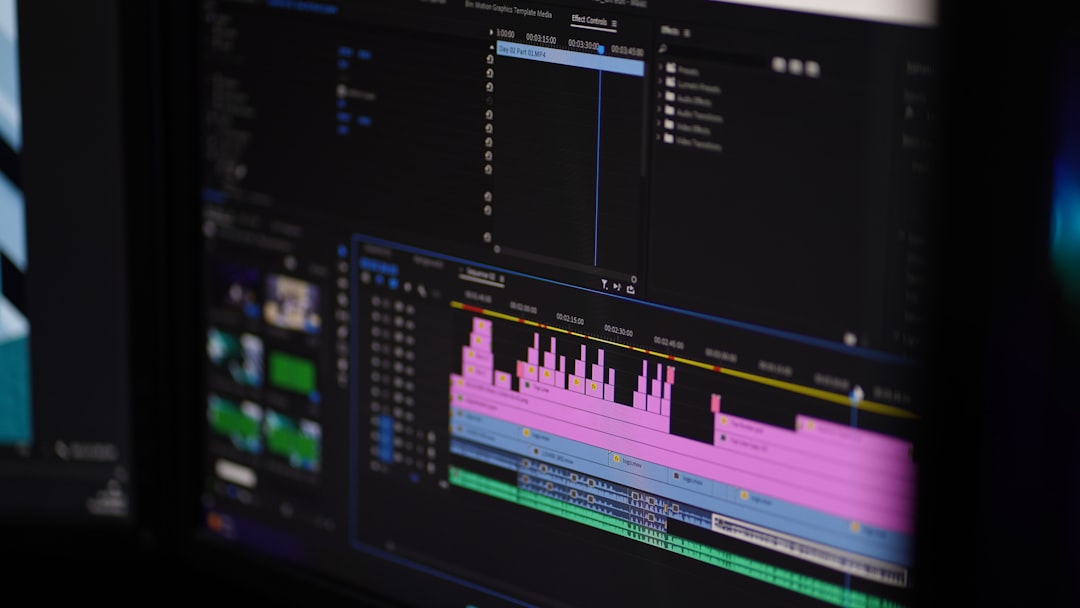
Editing used to be hard. Heavy software. Complex timelines. Now? It can be drag and drop.
Beginner-friendly editors include:
- CapCut
- Canva
- iMovie
- Clipchamp
Want more control? Try:
- Adobe Premiere Pro
- Final Cut Pro
- DaVinci Resolve
But here is the secret. Most basic marketing or social media videos do not need complex edits. Clean cuts. Clear audio. Large captions. That’s enough.
AI editing features now include:
- Automatic silence removal
- Background noise cleanup
- Auto caption generation
- Smart reframing for vertical video
These tools save hours. Sometimes days.
Step 5: Add Visuals and Music
A video without visuals is boring. A video without music feels empty.
Good news. You do not need a film crew.
Stock libraries provide:
- Pexels – Free stock videos
- Unsplash – Free images
- Storyblocks – Premium stock
- Artlist – Music and sound effects
Most video platforms already include built-in libraries. You search by keyword. Drag. Drop. Done.
Step 6: Voiceovers Made Simple
Not everyone likes recording their own voice. That’s okay.
AI voice generators sound surprisingly human.
Popular options:
- ElevenLabs
- Murf.ai
- Play.ht
You paste your script. Choose a voice. Select tone and accent. Click generate.
Some tools even clone your voice. That means you record once. The AI does the rest.
If you prefer real recording, use simple microphones like:
- Blue Yeti
- Rode USB mic
- Lavalier clip mic
Clear audio matters more than perfect video quality.
Step 7: Optimize for Each Platform
One size does not fit all.
YouTube likes horizontal videos. TikTok loves vertical. Instagram uses both.
Modern tools resize videos automatically. One click. Multiple formats.
Things to check before publishing:
- Are captions included?
- Is the hook strong?
- Is the logo visible but not distracting?
- Does it load fast?
Small optimizations create big results.
AI Is the Game Changer
Let’s be honest. AI changed everything.
Here is what AI can now do:
- Generate scripts from one sentence
- Create full videos from blog posts
- Clone voices
- Auto translate into other languages
- Generate subtitles instantly
- Create digital presenters
This means solo creators can compete with big teams. Small businesses can produce daily content. Fast.
But remember. AI supports creativity. It does not replace it. Your ideas still matter most.
Simple Workflow You Can Follow Today
Here is a beginner-friendly process:
- Brainstorm idea with ChatGPT.
- Draft script in Google Docs.
- Paste script into Canva Video.
- Choose a clean template.
- Add stock footage and music.
- Generate auto captions.
- Export in vertical and horizontal formats.
- Publish on your platforms.
This whole process can take under 2 hours once you get used to it.
Tips to Keep It Fun and Simple
- Done is better than perfect.
- Short videos perform well.
- Focus on value, not effects.
- Use templates to save time.
- Batch create content.
The more you create, the easier it becomes.
Common Mistakes to Avoid
- Overcomplicating the script
- Using hard-to-read fonts
- Ignoring sound quality
- Making long intros
- Forgetting a call to action
Keep it clear. Keep it focused.
The Future of Video Creation
Video creation will only get easier.
Soon, you may describe your idea in one sentence. The tool will create everything. Script. Scenes. Music. Voice. Subtitles.
We are already close.
This means more voices can be heard. More stories can be shared. More creators can earn.
You do not need a studio. You do not need expensive gear. You just need an idea and the right tools.
Final Thoughts
Video creation used to feel overwhelming. Not anymore.
With modern tools, you can move from idea to finished video in simple steps. Brainstorm. Script. Generate. Edit. Publish.
Each tool removes friction. Each AI feature saves time.
The most important thing? Start.
Your first video will not be perfect. That’s fine.
Your second will be better.
Your tenth will be powerful.
So open a tool. Type your idea. And press create.
