 logo
logo




AI-generated QR codes are like tiny robot posters. They can send people to a website, a menu, a coupon, a video, or a secret cat page. They can also look cool. Some look like art. Some look like stickers. Some look like tiny portals. But you need the right tools to make them, style them, test them, and track them.
TLDR: To make great AI-generated QR codes, use a mix of QR builders, design apps, AI image tools, and tracking tools. Start with a dynamic QR code so you can change the link later. Then decorate it with AI art, test it on many phones, and watch the scan data. The 13 tools below help you do all of that without losing your mind.
Why AI-generated QR codes are a big deal
A normal QR code is useful. But it can be boring. It is usually just black squares on a white background. That works. But it does not always get attention.
An AI-generated QR code can look like a poster, a painting, a snack wrapper, a sci-fi badge, or a cute little monster. The QR pattern is still there. The scanner can still read it. But your eyes see something more fun.
That is the magic trick.
Still, there is one rule. The code must scan. Pretty is nice. Working is better. So your toolbox should help with three jobs:
- Creating the QR code.
- Customizing it with colors, logos, and AI art.
- Monitoring scans, clicks, devices, and campaigns.
Here are 13 tools that make the whole process easier.

1. QR TIGER
QR TIGER is a strong choice for dynamic QR codes. Dynamic means you can change the destination later. That is very helpful.
Imagine you print 2,000 flyers. Then your landing page changes. With a static QR code, you may cry into your coffee. With a dynamic QR code, you just update the link in the dashboard.
QR TIGER also gives scan tracking. You can see where scans happen. You can see what device people used. You can see when scans were hot.
Best for: marketing campaigns, print materials, restaurant menus, events, and business cards.
2. Uniqode
Uniqode is great for teams. It helps businesses create, manage, and track QR codes in one place. It also has strong analytics.
You can build branded QR codes. You can add logos. You can organize many codes at once. This is handy if you run many campaigns.
It also supports dynamic QR codes. So again, no panic if your link changes later.
Best for: companies, agencies, schools, and teams that need many QR codes.
3. Flowcode
Flowcode is friendly and polished. Its QR codes can look clean and modern. It is good for creators, events, brands, and shops.
It also offers tracking. You can see scan counts and basic performance. This helps you learn what works.
Flowcode is especially nice when you want a QR code that feels less like a tech blob and more like a brand asset.
Best for: creators, retail, events, packaging, and social links.
4. Scanova
Scanova is another useful QR code platform. It supports many QR types. You can create codes for websites, PDFs, maps, contact cards, app links, and more.
It also helps with design. You can add frames, text, and logos. A frame can make a big difference. It can say “Scan for menu” or “Get your coupon”. That tiny instruction can increase scans.
People like knowing what will happen when they scan.
Best for: easy QR campaigns with clear calls to action.
5. Canva
Canva is not just for social posts. It is also great for QR code design. You can place a QR code on flyers, posters, labels, menus, and slides.
Canva also has easy design tools. You can add icons, backgrounds, arrows, stickers, and big friendly text.
This matters because a QR code alone may not get attention. A QR code with a fun design and a clear message is much better.
Try something simple like:
- Scan to enter.
- Scan for the secret menu.
- Scan to watch the video.
- Scan to claim your gift.
Best for: making QR codes look good in real-world designs.
6. Adobe Express
Adobe Express is another easy design tool. It is good for quick layouts. It can help you make posters, cards, signs, and social graphics.
You can use it to place your QR code into a polished design. You can also test different styles. Serious. Playful. Fancy. Loud. Cute. Spooky. Choose the vibe.
It is also useful if you want your QR code to match a campaign theme.
Best for: fast branded graphics and simple creative layouts.
7. Midjourney
Midjourney is an AI image tool. It can create beautiful images from prompts. It is excellent for making a visual theme around your QR code.
You can use it to create backgrounds, poster art, character styles, and campaign visuals. Then you can place the QR code on top.
Some creators also use AI art workflows to blend QR patterns into images. This can look amazing. But be careful. The more you hide the QR pattern, the more you risk breaking it.
Fun is good. Broken is bad.
Best for: eye-catching AI art and creative campaign concepts.
8. Stable Diffusion with ControlNet
Stable Diffusion is an open AI image generation system. ControlNet is a tool that helps guide the image structure. Together, they can be used to create artistic QR codes.
This is more advanced. But it is powerful.
You can guide the AI with a QR pattern, then ask it to create an image around that structure. For example, you might prompt:
- “A neon city at night, cyberpunk style, high contrast.”
- “A magical forest, glowing mushrooms, soft light.”
- “A cute robot mascot, sticker style, bold shapes.”
The result can be wild. It can also fail. Test every version.
Best for: advanced AI QR art and experimental visuals.
9. DALL-E
DALL-E is another AI image tool. It is useful for generating scenes, icons, mascots, and backgrounds.
You can create a fun design around your QR code. For example, make a cartoon dragon holding a sign. The sign contains the QR code. Or make a futuristic vending machine with the QR code on it.
This keeps the QR code readable while still making the whole image fun.
A simple trick is this: do not force the AI to rebuild the QR code. Instead, add your real QR code after the image is generated. That gives you more control.
Best for: fun concepts, mascot images, and background art.
10. Bitly
Bitly is famous for short links. But it is also useful in QR campaigns.
A short link is easier to manage. It can also be tracked. You can use Bitly links inside QR codes to see clicks and performance.
Bitly is especially helpful when you want simple tracking without a giant analytics setup.
It also makes links look cleaner. Long links can be ugly. Very ugly. Like spaghetti with numbers.
Best for: short links, simple tracking, and cleaner campaign URLs.
11. Google Analytics 4
Google Analytics 4, also called GA4, helps you see what people do after they scan.
A QR code scan is only the first step. What happens next is the real story. Do visitors buy? Sign up? Watch a video? Leave after three seconds? GA4 can help answer that.
Use UTM tags on your QR links. These tags tell GA4 where the visitor came from.
For example, you can track:
- Source: qr code
- Medium: poster
- Campaign: summer sale
Now your QR code is not just a square. It is a measurable marketing tool.
Best for: tracking website behavior after the scan.
12. Looker Studio
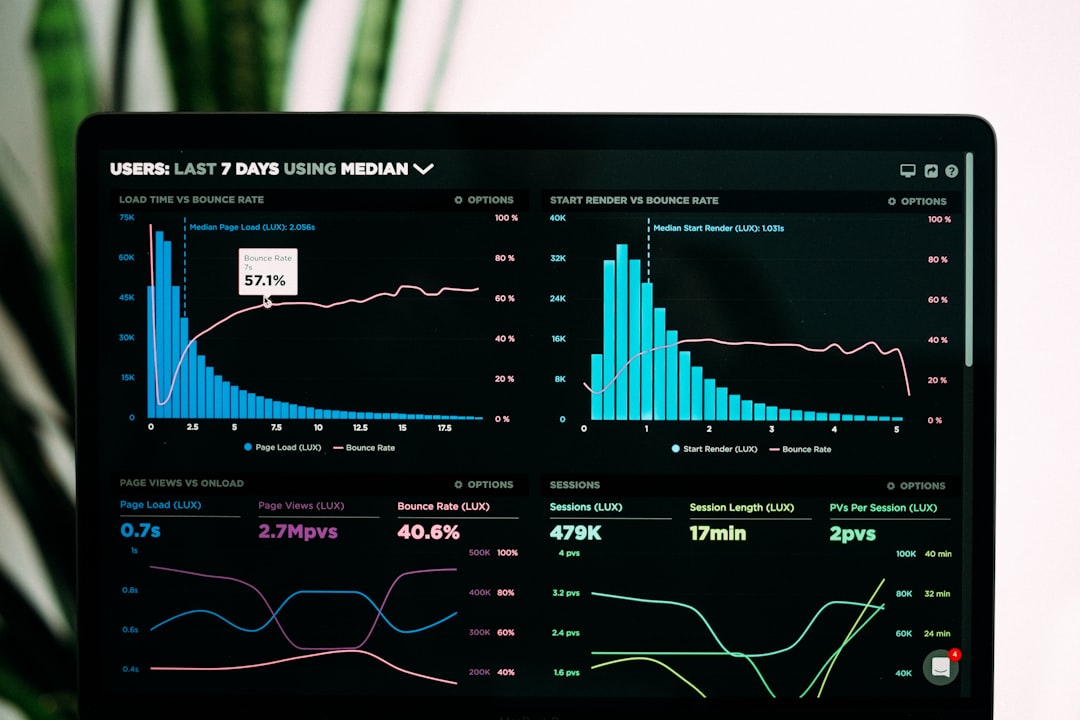
Looker Studio turns data into dashboards. That sounds fancy. But it is simple in spirit.
You connect your data. Then you build charts. Now you can see results at a glance.
For QR campaigns, you can show:
- Total scans.
- Clicks from QR links.
- Top locations.
- Best performing posters.
- Sales or signups from QR traffic.
This is great for teams. Nobody wants to dig through five tabs during a meeting. A dashboard makes the story clear.
Best for: visual reports and campaign dashboards.
13. Zapier
Zapier connects apps together. It helps automate boring tasks. And boring tasks are sneaky time thieves.
You can use Zapier with forms, spreadsheets, CRMs, email tools, and alerts. For example, when someone scans a QR code and fills out a form, Zapier can add them to a list. It can notify your team. It can update a spreadsheet.
This makes QR campaigns feel alive. A scan can start a workflow.
That is useful for events, lead capture, giveaways, support requests, and appointment booking.
Best for: automation after someone scans or takes action.
How to build a great AI-generated QR code
Now let’s put the tools together. Here is a simple workflow.
- Pick your goal. Decide what the scan should do.
- Create a dynamic QR code. Use a tool like QR TIGER, Uniqode, Flowcode, or Scanova.
- Add tracking. Use UTM tags, Bitly, or built-in analytics.
- Design the artwork. Use Canva, Adobe Express, Midjourney, DALL-E, or Stable Diffusion.
- Keep the code readable. Do not overpaint the tiny squares.
- Test on many phones. Try iPhone and Android. Try different lighting.
- Print a sample. Real paper can behave differently than a screen.
- Monitor results. Use QR dashboards, GA4, Looker Studio, and automation tools.
Simple tips so your QR code does not flop
First, use strong contrast. Dark code on a light background usually works best. Fancy colors are fine, but scanners need clarity.
Second, leave a quiet zone. That is the blank space around the QR code. Do not crowd it with text, stickers, or tiny dancing tacos.
Third, make it big enough. A QR code on a billboard can be huge. A QR code on a business card can be small. But it still needs to scan fast.
Fourth, add a call to action. Tell people why they should scan. Mystery is fun. Confusion is not.
Fifth, test before you print. Then test again. Then ask someone else to test. Preferably someone who will be honest.
What should you track?
Tracking helps you learn. It also helps you stop guessing.
Good things to monitor include:
- Scan count: How many times the QR code was scanned.
- Unique scans: How many different people scanned.
- Location: Where scans happened.
- Time: When scans happened.
- Device: What phones or systems people used.
- Conversion: What people did after scanning.
Here is the key point. A scan is nice. A result is better. If 1,000 people scan and nobody signs up, something is off. Maybe the landing page is slow. Maybe the offer is unclear. Maybe the button is hiding like a shy turtle.
Final thoughts
AI-generated QR codes can be useful and delightful. They can turn a plain square into a mini experience. But the best ones balance art and function.
Use QR tools to create strong codes. Use AI tools to make them exciting. Use design tools to place them well. Use analytics tools to learn what happens next.
And always remember the golden rule: if it does not scan, it does not matter how pretty it is.
Make it fun. Make it clear. Make it trackable. Then let that tiny square do big work.
